Your Ultimate Guide to Downloading Aniimo: The Future of Mobile Gaming
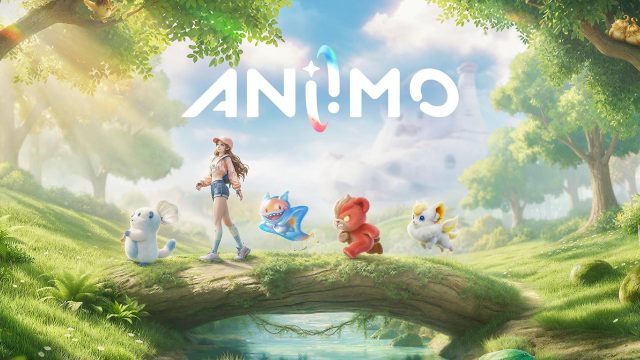
Key Takeaways
- Aniimo offers cross-platform play for an engaging experience.
- Available on both iOS and Android mobile devices.
- Check official app stores or gaming platforms for downloads.
- Optimized for smooth performance on recent devices.
- Ideal for gamers in Southeast Asia, especially Indonesia.
Overview of Aniimo
Aniimo is rapidly gaining attention in the mobile gaming world, promising an immersive experience that blends excitement and strategy. Set to launch soon, it's tailored for both casual and hardcore gamers. This game features vibrant graphics and engaging gameplay that encourages players to dive in and explore. With its cross-platform capabilities, Aniimo allows friends to join each other across different devices, making it a versatile choice in today's gaming landscape.
Platform Availability
Aniimo is slated for release on several platforms, ensuring accessibility for a wide range of users. It will be available on:
- iOS: Download from the Apple App Store.
- Android: Find it on the Google Play Store.
- PC: Play on platforms like Steam or Epic Games Store.
The game’s release will target regions with high mobile gaming engagement, particularly in the Southeast Asian market, including Indonesia's major cities like Jakarta and Surabaya.
System Requirements
To ensure a smooth gaming experience, players should meet the following system requirements:
For iOS Devices:
- OS: iOS 12.0 or later
- Device: iPhone 6s and newer
- RAM: Minimum of 2GB
- Storage: At least 1.5GB free space
For Android Devices:
- OS: Android 6.0 and up
- Device: Compatible with most modern smartphones
- RAM: Minimum of 2GB
- Storage: Requires 1.5GB free space
For PC:
- OS: Windows 10 or newer
- Processor: Intel Core i3 or equivalent
- RAM: Minimum of 4GB
- Storage: At least 5GB of available space
How to Download Aniimo
Getting started with Aniimo is straightforward. Just follow these steps based on your platform:
For iOS:
- Open the Apple App Store.
- Search for "Aniimo" in the search bar.
- Click on the download button and wait for the installation to complete.
- Once installed, open the game and create your profile.
For Android:
- Launch the Google Play Store.
- Type "Aniimo" into the search field.
- Select the game from the results and tap the install button.
- After installation, open the game and get started.
For PC (Steam):
- Open the Steam client.
- Search for "Aniimo" in the store.
- Add the game to your library by clicking purchase or download.
- Install and launch the game to start playing.
Conclusion
Aniimo is poised to be a significant player in the mobile and cross-platform gaming market. With its engaging gameplay and strong community features, it appeals to gamers across Southeast Asia, especially in Indonesia. Whether you're on iOS, Android, or PC, the process to download and start playing Aniimo is simple and user-friendly. Don’t miss out on this exciting new title; download it on your preferred platform when it becomes available!
Latest news
-

The Rise of Mobile G
Explore the latest trends and insights in mobile g...
-

Unlocking Mobile Gam
Discover how to download popular mobile games on y...
-

Your Ultimate Guide
Discover how to download the latest mobile games o...
-

How to Download and
Discover how to download and install mobile games ...