Unlocking the Excitement: A Guide to Downloading Avatar Legends
Key Takeaways
- Avatar Legends now has a ranked mode for competitive play.
- Penalties are imposed for players who rage quit.
- Available on PC and PlayStation 5.
- Targeted updates include enhanced gameplay mechanics.
- Join in on the fun with the Southeast Asian gaming community.
Overview of Avatar Legends
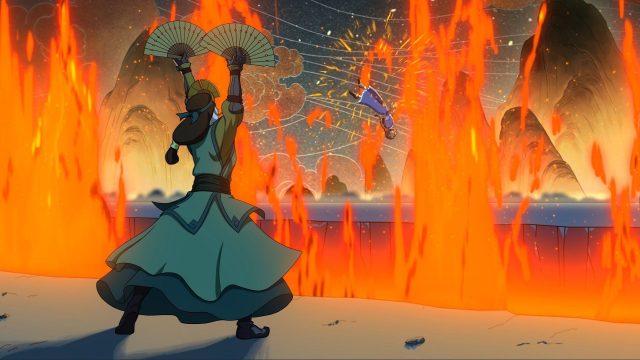
Avatar Legends: The Fighting Game immerses players in the rich world of Avatar, filled with combat, strategy, and teamwork. Set in a universe beloved by fans, this game combines iconic characters with thrilling fighting mechanics. Its recent updates have sparked excitement among gamers, particularly the introduction of a ranked mode, allowing players to compete against each other in a structured environment.
Platform Availability
Avatar Legends is accessible on multiple platforms. Currently, players can enjoy the game on:
- PC: Available via platforms like Steam and Epic Games Store.
- PlayStation 5: Downloadable from the PlayStation Store.
If you're in Southeast Asia—especially in regions like Indonesia—this game is making waves in the local gaming community, driving competitive spirit and camaraderie among players.
System Requirements
For PC Users
To ensure a smooth gameplay experience, check the following system requirements:
- OS: Windows 10 or later
- Processor: Intel Core i5 or AMD equivalent
- Memory: 8 GB RAM
- Graphics: NVIDIA GeForce GTX 970 or AMD equivalent
- DirectX: Version 11
- Network: Broadband Internet connection
For PlayStation 5 Users
Ensure your console is updated with the latest firmware to access all features of Avatar Legends. No specific requirements beyond the standard PS5 specifications are needed.
How to Download
Downloading Avatar Legends is a straightforward process. Follow these steps to jump into the action:
On PC
- Visit the Steam store or the Epic Games Store.
- Search for Avatar Legends: The Fighting Game.
- Click on the download button and follow the prompts to install the game.
On PlayStation 5
- Open the PlayStation Store on your PS5 console.
- Search for Avatar Legends.
- Select the game and purchase or download it to your library.
Conclusion
Avatar Legends: The Fighting Game is more than just a nostalgic journey; it’s a competitive platform that offers players a chance to engage in ranked battles while enjoying beloved characters. With its recent updates and growing popularity in the Southeast Asian gaming market, now is the perfect time to download and experience the thrill of Avatar Legends. Whether you're a seasoned gamer or new to the scene, this game promises hours of entertainment and challenge.
Latest news
-

How to Enhance Your
Discover essential accessories to enhance your mob...
-
Exploring the Best i
Unveil the best iOS games of 2023! This comprehens...
-
Ultimate Guide to Do
Learn how to download and install Crimson Moon acr...
-

Essential Guide to D
Learn how to download Blood of Dawnwalker on vario...