Your Ultimate Guide to Download Bitcraft: Explore New Adventures
Key Takeaways
- Bitcraft is available on multiple platforms including PC and consoles.
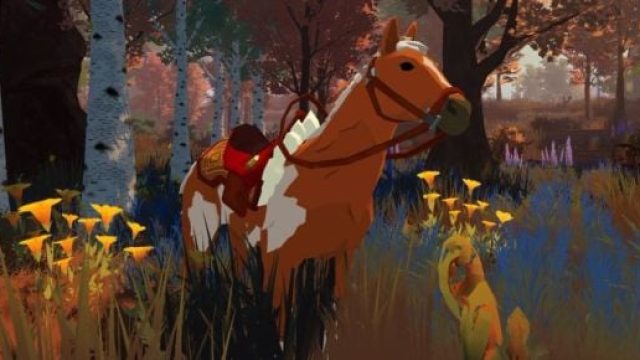
- The latest update introduces a new horse mount called Equous.
- Installation steps are straightforward for all supported devices.
- Join the growing community to explore features in Southeast Asia and beyond.
- Regular updates keep gameplay fresh and engaging for all players.
Overview of Bitcraft
Bitcraft is an engaging multiplayer sandbox adventure that allows players to craft, build, and explore expansive worlds. With its unique blend of RPG elements and survival mechanics, the game promotes creativity and social interaction. Recent patches have introduced exciting features, including mounts, enhancing the overall gameplay experience.
As of now, the game is gaining traction in various markets, particularly in Southeast Asia, where mobile gaming is on the rise. The introduction of the Equous mount is a significant update that adds depth to exploration and transportation within the game. This update is not just a minor tweak but a pivotal feature that enhances player mobility and engagement.
Platform Availability
Bitcraft is accessible on multiple platforms, ensuring that players can enjoy the game regardless of their device preference. Here are the platforms where you can download Bitcraft:
- PC: Available on Steam and Epic Games Store, both offering seamless installation and regular updates.
- Consoles: Future releases are anticipated for popular consoles like PlayStation and Xbox, expanding Bitcraft's reach.
- Mobile: Plans for a mobile release are under consideration, catering to the growing mobile gaming community.
System Requirements
To ensure a smooth gaming experience, it's vital to meet the following system requirements for Bitcraft:
Minimum Requirements:
- OS: Windows 10 (64-bit)
- Processor: Intel Core i3 or equivalent
- Memory: 8 GB RAM
- Graphics: NVIDIA GTX 660 or AMD Radeon HD 7850
- DirectX: Version 11
- Storage: 20 GB available space
Recommended Requirements:
- OS: Windows 10 (64-bit)
- Processor: Intel Core i5 or equivalent
- Memory: 16 GB RAM
- Graphics: NVIDIA GTX 970 or AMD Radeon RX 580
- DirectX: Version 11
- Storage: 30 GB available space
How to Download
Getting started with Bitcraft is simple. Below are the steps to download and install the game on your preferred platform:
For PC Users:
- Visit the Steam Store or Epic Games Store.
- Create an account or log in if you already have one.
- Search for Bitcraft in the store's search bar.
- Click on the "Install" button to begin downloading the game.
- Once downloaded, launch the game from your library and start exploring!
For Console Users:
- Stay tuned for announcements regarding Bitcraft's console release on platforms like PlayStation and Xbox.
- Check the respective digital stores for future availability and updates on installation procedures.
For Mobile Users:
As of now, there is no mobile version available, but keep an eye on official announcements for future releases.
Conclusion
With its rich gameplay and community-centric design, Bitcraft is positioned to captivate players worldwide. The recent introduction of the Equous mount is just one of the many features that enhance the gaming experience. Whether you're in Southeast Asia or anywhere else, Bitcraft offers an innovative adventure that promises excitement and discovery. Don't miss out—download Bitcraft today and join the adventure!
Latest news
-

The Role of Graphics
Discover the importance of graphics in mobile gami...
-
Top 10 Mobile Games
Discover the top 10 mobile games of 2023! Explore ...
-

Your Ultimate Guide
Discover how to download popular mobile games like...
-
Unlocking the Advent
Discover how to download Resonance: A Plague Tale ...