Your Ultimate Guide to Downloading BR1: Infinite Promises
Key Takeaways
- BR1: Infinite Promises offers real-world cash rewards.
- Available on multiple platforms including iOS and Android.
- Requires a stable internet connection for optimal gameplay.
- The game is particularly popular in Southeast Asia.
- Installation steps vary slightly by platform.
Overview of BR1: Infinite Promises
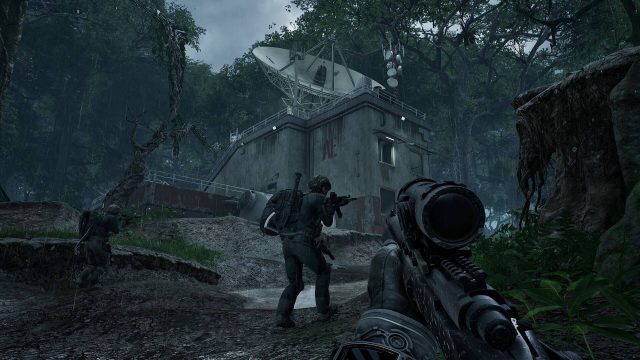
BR1: Infinite Promises is a unique gaming experience that blends the thrill of survival with the opportunity to earn real money. Each kill and hour spent in-game translates into tangible rewards, which has created significant interest among gamers, especially in regions like Indonesia and other parts of Southeast Asia. This game stands out in the current market as it introduces a financial incentive that sets it apart from traditional gaming experiences.
With a captivating gameplay loop, players must navigate various challenges and use strategic thinking to survive, all while aiming to earn real rewards. However, it is essential to understand that while the prospect of earning money is attractive, it comes with inherent challenges and responsibilities that players must navigate.
Platform Availability
BR1: Infinite Promises is accessible on several platforms, making it easy for players across different devices to join in on the action.
- iOS: Available on the Apple App Store, compatible with iPhones and iPads.
- Android: Downloadable from Google Play Store for Android devices.
- PC: Players can access the game on platforms such as Steam and the Epic Games Store.
This multi-platform availability ensures that players from Jakarta to Bali can participate, fostering a growing community of gamers eager to take advantage of the unique rewards system that BR1: Infinite Promises offers.
System Requirements
Before downloading BR1: Infinite Promises, ensure your device meets the following system requirements:
For iOS Devices
- iOS version: 12.0 or later
- Compatible with iPhone 6s and newer models
- Minimum storage: 2 GB free space
For Android Devices
- Android version: 6.0 (Marshmallow) or later
- Minimum RAM: 2 GB
- Minimum storage: 2 GB free space
For PC
- OS: Windows 10 or later
- Processor: Intel Core i5 or equivalent
- RAM: 8 GB or more
- Storage: At least 5 GB of free space
Meeting these requirements ensures a smooth and enjoyable gaming experience, maximizing the potential for earning rewards while playing.
How to Download
Downloading BR1: Infinite Promises is straightforward and can be completed in just a few steps depending on your device:
For iOS Users
- Open the Apple App Store.
- Search for “BR1: Infinite Promises”.
- Tap the “Get” button to start the download.
- Once downloaded, open the app and start your adventure!
For Android Users
- Launch the Google Play Store.
- Type “BR1: Infinite Promises” in the search bar.
- Select the game and tap “Install” to download it.
- Open the game once it’s installed and dive into the action!
For PC Users
- Visit the Steam Store or Epic Games Store.
- Search for “BR1: Infinite Promises”.
- Add the game to your library and follow the prompts to download.
- Launch the game through your library once installation is complete.
Following these straightforward steps, you can be up and running in no time, ready to explore all that BR1: Infinite Promises has to offer.
Conclusion
BR1: Infinite Promises represents a new frontier in mobile and cross-platform gaming, combining engaging gameplay with the potential for real financial rewards. By understanding how to download and install this exciting title, you are positioning yourself to be part of a rapidly growing gaming community. Whether you're located in Jakarta, Bali, or any other city in Southeast Asia, the time to join the adventure is now!
Latest news
-

Your Ultimate Guide
Discover how to download the best free slot machin...
-
Essential Guide to D
Discover how to download the latest mobile games s...
-
Get Ready to Play: D
Discover how to download top mobile games on iOS a...
-
Fanatical’s Summer S
Discover expert insights on game. The iOS and cros...