Unlocking Bulletstorm: Your Ultimate Download and Installation Guide
Key Takeaways
- Bulletstorm offers a fresh take on the FPS genre.
- Available on major platforms including PC and consoles.
- System requirements are moderate, making it accessible.
- Installation is straightforward, with step-by-step options.
- Ideal for fans of action-packed shooters and innovative gameplay.
Overview of Bulletstorm
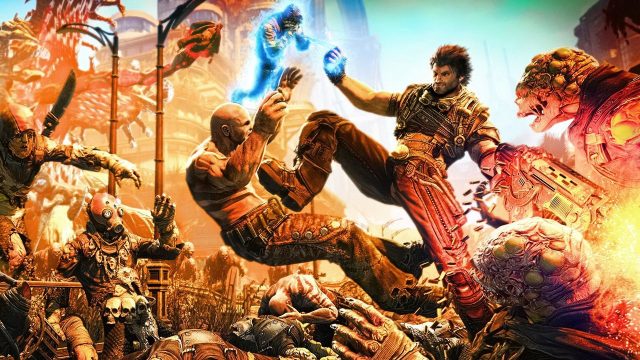
Launched initially in 2011, Bulletstorm quickly gained a reputation for its unconventional humor and creative combat mechanics. This first-person shooter encourages players to think outside the box, using its unique "skillshot" system to creatively dispatch enemies. By combining environmental elements with a variety of weapons, players can achieve spectacular kills, making every encounter memorable. With its blend of absurdity and strategy, Bulletstorm remains a standout title in the FPS genre.
Platform Availability
Bulletstorm is available on multiple platforms, ensuring that players can enjoy this thrilling experience wherever they prefer gaming:
- PC: Available on platforms like Steam and Epic Games Store.
- PlayStation: Downloadable from the PlayStation Store.
- Xbox: Accessible through the Xbox Store.
- Nintendo Switch: Available on Nintendo eShop.
System Requirements
To install and run Bulletstorm smoothly, ensure that your device meets the following minimum specifications:
- Windows: Windows 7 (or newer), 2.4 GHz dual-core processor, 2 GB RAM, NVIDIA 8800 series or ATI 3800 series graphics card.
- Mac: macOS 10.11 or later, Intel Core i5, 4 GB RAM, dedicated graphics card (NVIDIA or AMD recommended).
- Console: PS4 or Xbox One with sufficient storage for installation.
How to Download Bulletstorm
Downloading Bulletstorm is a simple process, regardless of the platform you choose. Follow these steps for a seamless installation:
For PC (Steam/Epic Games)
- Open the Steam client or Epic Games Launcher on your PC.
- Search for "Bulletstorm" in the store search bar.
- Select the game and click on the "Purchase" or "Install" button.
- Once downloaded, follow the on-screen prompts to install.
For PlayStation
- Navigate to the PlayStation Store on your console.
- Search for "Bulletstorm" and select it.
- Click on the "Add to Cart" and proceed to checkout.
- Follow the instructions to download and install the game.
For Xbox
- Access the Xbox Store through your console.
- Look for "Bulletstorm" using the search function.
- Select the game and confirm your purchase.
- After downloading, follow the prompts to complete the installation.
For Nintendo Switch
- Open the Nintendo eShop from your console's menu.
- Search for "Bulletstorm" in the eShop.
- Select the game and choose to purchase it.
- Once downloaded, follow the necessary steps to install.
Conclusion
Bulletstorm is a must-play title for any FPS enthusiast, combining humor with thrilling gameplay. Whether you’re on PC or a console, downloading this game is straightforward. Dive into the chaotic world of Bulletstorm and discover the innovative skill-based combat that keeps players coming back for more!
Latest news
-

Cross-Platform Gamin
Discover how cross-platform gaming is changing the...
-
Unlocking the Future
Explore the top mobile games to download in 2024 f...
-
Best Practices for D
Learn about the best practices for designing mobil...
-
Unleashing the Power
Explore the latest trends in mobile gaming for 202...