Your Ultimate Guide to Downloading Dead Cells on Multiple Platforms
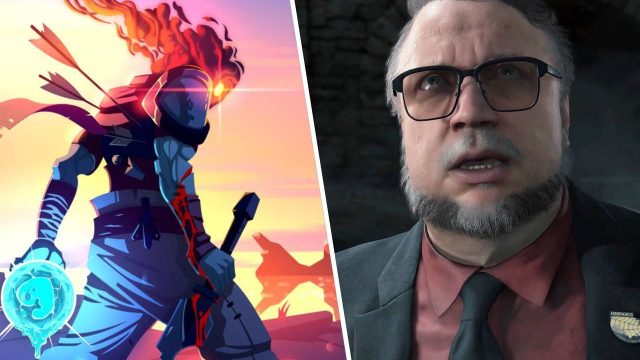
Key Takeaways
- Dead Cells is available on PC, consoles, and mobile platforms.
- System requirements vary by platform; check before downloading.
- Installation steps differ based on your choice of device.
- Perfect for gamers in Southeast Asia looking for engaging challenges.
- Official download links ensure security and reliability.
Overview
Dead Cells has become a standout title in the gaming community, merging roguelike elements with fast-paced action platforming. Developed by Motion Twin, this game invites players to explore a vast interconnected world filled with challenging enemies, traps, and treasures. The game’s procedural generation ensures that every run is unique, giving gamers an immersive experience that keeps them returning for more.
Notably, Dead Cells has gained traction in Southeast Asia, particularly in countries like Indonesia, where mobile and PC gaming is on the rise. With its 2D graphics and dynamic gameplay, Dead Cells appeals to a wide audience, making it a must-try title.
Platform Availability
Dead Cells is accessible on multiple platforms, ensuring that players can enjoy the game on their preferred devices:
- PC: Available on Steam and GOG.
- Consoles: PlayStation 4, Xbox One, and Nintendo Switch.
- Mobile: Downloadable on iOS and Android via the Apple App Store and Google Play Store.
This wide availability allows gamers in the ASEAN region to enjoy Dead Cells on their chosen platform, whether at home or on the go.
System Requirements
Before downloading Dead Cells, it's crucial to ensure your device meets the necessary system requirements to avoid compatibility issues:
PC (Steam & GOG)
- Operating System: Windows 7 or higher
- Processor: Dual-core from Intel or AMD
- Memory: 4 GB RAM
- Graphics: NVIDIA GeForce 8800 series or ATI Radeon HD 4000 series
- DirectX: Version 9.0c
- Storage: 500 MB available space
Consoles (PlayStation, Xbox, Nintendo)
- PlayStation 4: Requires at least 2 GB of free space.
- Xbox One: Compatible with Xbox Live connection.
- Nintendo Switch: Downloadable from the Nintendo eShop.
Mobile (iOS & Android)
- iOS: Requires iOS 11.0 or later.
- Android: Android 4.4 (KitKat) or greater.
- Storage: Minimum of 1.5 GB available space.
Ensure your system meets these requirements to enjoy a smooth gaming experience.
How to Download Dead Cells
Ready to dive into the world of Dead Cells? Follow these simple steps to download the game on your chosen platform:
For PC Users (Steam & GOG)
- Visit the Steam Store or GOG.
- Create an account or log in if you already have one.
- Search for "Dead Cells" in the store.
- Add the game to your cart and proceed to checkout.
- Once purchased, download and install the game directly from the client.
For Console Users
Here’s how to download Dead Cells on various consoles:
- PlayStation 4: Navigate to the PlayStation Store, search for Dead Cells, and download.
- Xbox One: Access the Xbox Store and find Dead Cells to purchase and install.
- Nintendo Switch: Open the Nintendo eShop, search for Dead Cells, and complete your download.
For Mobile Users
- iOS: Go to the Apple App Store, search for Dead Cells, and tap download.
- Android: Open the Google Play Store, find Dead Cells, and install.
Ensure you have a stable internet connection for downloading the game smoothly.
Conclusion
Dead Cells continues to capture the hearts of gamers worldwide with its dynamic gameplay and rich content. By following our guide, downloading and installing Dead Cells on various platforms becomes a breeze. With its increasing popularity in the Southeast Asian market, now is the perfect time to immerse yourself in this captivating game. Get ready to jump into action and conquer the challenges that await you in Dead Cells!
Latest news
-

Unlocking the Future
Explore the top mobile games to download in 2024 f...
-
Steam vs. Epic Games
Compare Steam and Epic Games Store for the best mo...
-
Upcoming Mobile Game
Stay ahead of the game with our list of the most a...
-
The Best Mobile Game
Explore the best mobile game genres of 2024 that p...