Your Ultimate Guide to Downloading Deltarune's Latest Chapter
Key Takeaways
- Deltarune is available on multiple platforms, including PC and consoles.
- Ensure your system meets the requirements for optimal gameplay.
- Follow our simple steps to download and install the game.
- Engage with the vibrant storytelling and unique gameplay elements of Deltarune.
- Join the growing community of players enjoying the latest chapter.
Overview of Deltarune
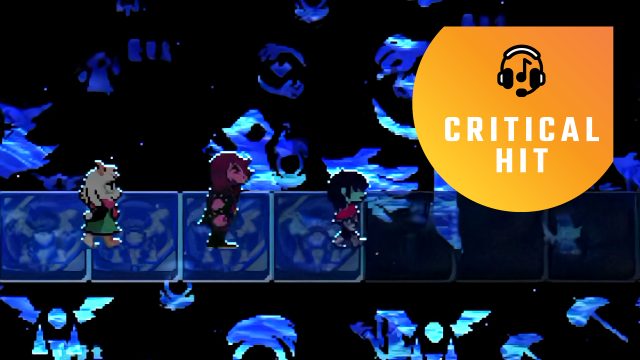
Deltarune, the highly anticipated follow-up to the beloved Undertale, has captured the hearts of players worldwide. With its unique mix of storytelling, engaging characters, and innovative gameplay mechanics, this RPG continues to push boundaries. The latest chapter, featuring new challenges and emotional depth, is now available for download.
Platform Availability
Deltarune is accessible on various platforms, ensuring that gamers can enjoy it wherever they are. Here’s a breakdown of where you can find Deltarune:
- PC (Windows, macOS) - Available on Steam.
- PlayStation - Download via the PlayStation Store.
- Nintendo Switch - Purchase and download from the Nintendo eShop.
System Requirements
Before diving into the game, it’s crucial to ensure your device meets the necessary specifications. Here are the minimal and recommended system requirements for the PC version:
Minimum Requirements
- OS: Windows 7/8.1/10
- Processor: Intel Core i3 or equivalent
- Memory: 4 GB RAM
- Graphics: NVIDIA GeForce 660 or AMD Radeon HD 7870
- DirectX: Version 11
- Storage: 2 GB available space
Recommended Requirements
- OS: Windows 10
- Processor: Intel Core i5 or equivalent
- Memory: 8 GB RAM
- Graphics: NVIDIA GeForce GTX 960 or AMD Radeon R9 380
- DirectX: Version 11
- Storage: 4 GB available space
How to Download
Downloading Deltarune is a straightforward process. Here’s a step-by-step guide tailored for each platform:
For PC (Steam)
- Open the Steam client or visit the Steam website.
- Log into your account or create one if you don’t have it.
- Search for “Deltarune” in the store.
- Select the game and click on the “Add to Cart” button.
- Proceed to checkout and complete your purchase.
- Once purchased, the game will appear in your library. Click “Install” to begin downloading.
For PlayStation
- Turn on your PlayStation console and log into your account.
- Navigate to the PlayStation Store.
- Search for “Deltarune” using the search function.
- Select the game and choose “Purchase” to buy it.
- The game will automatically download and install after purchase.
For Nintendo Switch
- Power on your Nintendo Switch and access the main menu.
- Open the Nintendo eShop.
- Use the search bar to find “Deltarune”.
- Select the game and click on “Proceed to Purchase”.
- Once completed, the game will download automatically to your console.
Conclusion
Deltarune’s latest chapter represents a significant addition to the gaming landscape, particularly in the RPG genre. With its rich narrative and engaging gameplay, it’s a must-play for fans of the original and newcomers alike. By following our comprehensive guide, downloading the game on your preferred platform should be a breeze. Make sure your system meets the requirements to enjoy this unique gaming experience fully. Join the vibrant community of players and dive into the world of Deltarune today!
Latest news
-

Epic vs. Steam: The
Explore the differences between Epic Games and Ste...
-
Mobile Gaming Trends
Stay ahead of the curve with the latest mobile gam...
-
The Best Cross-Platf
Discover the best cross-platform mobile games of 2...
-
Top Strategies for W
Learn the top strategies for success in mobile gam...