Discovering the Best JRPGs on PS4: A Download Guide
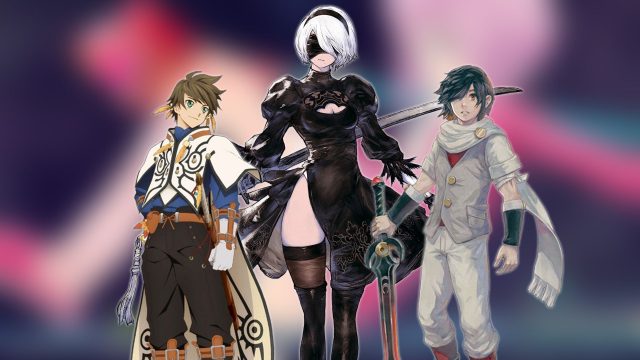
Key Takeaways
- JRPGs offer complex narratives and character development.
- Popular titles include NieR:Automata and Dragon Quest XI.
- Available on major platforms like PlayStation Store.
- System requirements vary; check before downloading.
- Easy installation steps ensure a quick start to your adventure.
Overview of JRPGs on PS4
Japanese Role-Playing Games (JRPGs) have captivated gamers worldwide, particularly on the PlayStation 4. These games often feature intricate plots, character depth, and stunning visuals that transport players to fantastical worlds. Notably, titles like NieR:Automata and Dragon Quest XI stand out for their compelling storytelling and unique gameplay mechanics.
The allure of JRPGs lies in their ability to immerse players in a narrative-rich environment. The characters undergo substantial growth, and players often face moral dilemmas that resonate deeply, making the experience feel more personal.
Platform Availability
Most JRPGs are readily available on the PlayStation 4 console. Players can explore these titles through the official PlayStation Store, where they can purchase and download games directly to their console. Some games may also be available on other platforms, including PC and Xbox, but this guide focuses on the PS4 experience.
System Requirements
While JRPGs are known for their accessibility, it’s essential to check system requirements for optimal performance. Here’s what you typically need for a smooth gaming experience on PS4:
- Storage Space: Ensure you have sufficient storage on your console. Most games require anywhere from 20GB to 100GB.
- System Software: Keep your PS4 updated with the latest system software for compatibility.
- Internet Connection: A stable internet connection may be required for downloads and online features.
How to Download JRPGs on PS4
Downloading JRPGs on your PS4 is a straightforward process. Follow these steps to start your journey:
- Access the PlayStation Store: Use your PS4 controller to navigate to the PlayStation Store from the home screen.
- Search for Your Desired Game: Use the search function to find the JRPG you want to download, such as NieR:Automata or Dragon Quest XI.
- Add to Cart: Once you find the game, click on it and select 'Add to Cart.'
- Proceed to Checkout: Follow the prompts to purchase the game. If it’s a free title, simply select 'Download.'
- Download the Game: After completing your purchase, the game will start downloading automatically. You can track the download progress on your home screen.
- Install and Play: Once downloaded, the game will install automatically. Navigate to your game library, select the JRPG, and dive into your new adventure!
Conclusion
JRPGs on PS4 provide an unparalleled gaming experience, marrying immersive storytelling with engaging gameplay. Titles like NieR:Automata and Dragon Quest XI are just a few examples of how the genre has thrived on this platform. With straightforward download steps and a variety of available games, now is the perfect time to explore these worlds. Whether you are in Southeast Asia, including Indonesia, or elsewhere, the captivating narratives of JRPGs await your exploration. Embark on your quest today!
Latest news
-

How Mobile Games Are
Explore how mobile games are reshaping the enterta...
-
Mobile Games Influen
Examine how mobile games are influencing education...
-
You shouldn't miss t
Discover expert insights on game. The iOS and cros...
-
Unlock the Fun: Your
Discover how to download the latest Google game. F...