Discovering Over the Hill: Your Ultimate Game Download Guide
Key Takeaways
- Over the Hill releases in October, offering a relaxed off-road experience.
- Available on PC through Steam and other platforms.
- Mobile versions are expected; stay tuned for official announcements.
- Easy installation steps ensure a smooth gaming experience.
Overview of Over the Hill
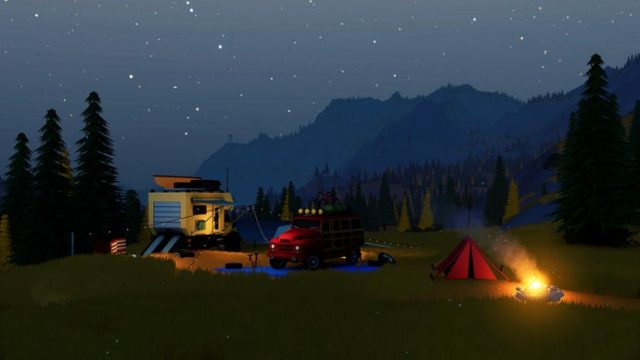
Over the Hill is a fresh take on the off-road gaming genre, developed by Funselektor and Strelka Games. Inspired by the hardcore trail-running simulations like SnowRunner, this game offers a more laid-back approach to off-road adventures. Expect stunning visuals and engaging gameplay as you navigate through beautiful countryside landscapes.
The game is set to release in October, capturing the attention of gamers who enjoy both relaxation and thrilling off-road challenges. With its unique charm, Over the Hill appeals to a broad audience, particularly gaming enthusiasts in Southeast Asia including Indonesia, where mobile gaming continues to rise in popularity.
Platform Availability
Over the Hill will be available on various platforms, allowing players to experience the adventure in their preferred gaming environment. Here’s what you can expect:
- PC: Available on Steam and possibly other platforms like the Epic Games Store.
- Mobile: A mobile version is anticipated, catering to gamers in regions like Indonesia, particularly in urban centers such as Jakarta and Surabaya.
- Consoles: Future updates may include releases for popular consoles; check official announcements.
System Requirements
Before diving into the world of Over the Hill, ensure your device meets the necessary system requirements for an optimal gaming experience. Here’s a quick overview:
PC Requirements
- OS: Windows 10 (64-bit)
- Processor: Intel Core i5 or equivalent
- Memory: 8 GB RAM
- Graphics: NVIDIA GTX 970 / AMD Radeon R9 290 or better
- DirectX: Version 11
- Storage: 10 GB available space
Mobile Requirements
While specific mobile requirements are yet to be confirmed, players can expect compatibility with most modern smartphones running iOS and Android.
How to Download Over the Hill
Downloading Over the Hill is straightforward, regardless of your preferred platform. Follow these steps to get started:
For PC Players
- Visit the Steam Store or your chosen platform.
- Search for "Over the Hill" in the store search bar.
- Click on the game title to access the game page.
- Select the purchase button to acquire the game.
- Once purchased, the game will automatically download to your library.
- Install the game and enjoy your off-road adventures!
For Mobile Players
- Open the Google Play Store or Apple App Store on your device.
- Look for "Over the Hill" in the app store search function.
- Once located, tap on the game to view its details.
- Hit the download or install button to begin the download process.
- After the installation finishes, launch the game and start your adventure!
Conclusion
Over the Hill promises to be an exhilarating addition to the off-road gaming genre, blending relaxation with adventure. With its upcoming release, players in Southeast Asia and beyond can look forward to accessing this engaging title on various platforms. Stay tuned for updates regarding mobile availability and enjoy seamless downloads through official platforms. Get ready to hit the trails!
Latest news
-

Your Complete Guide
Discover how to download Fortuna 88 Slot easily. E...
-
Ultimate Download Gu
Discover how to download the latest mobile games o...
-
Essential Guide to D
Discover how to download the latest mobile games o...
-

Your Ultimate Guide
Discover how to download Big Walk on various platf...