The Ultimate Guide to Downloading Dishonored: Your Next Adventure Awaits
Key Takeaways
- Dishonored is available on PC, PlayStation, and Xbox platforms.
- Minimum system requirements for PC include Windows 7, 2GB RAM.
- Installation is straightforward on all platforms with easy-to-follow steps.
- Explore a rich narrative and immersive gameplay in the game.
- Dishonored is a critically acclaimed title from Arkane Studios.
Overview of Dishonored
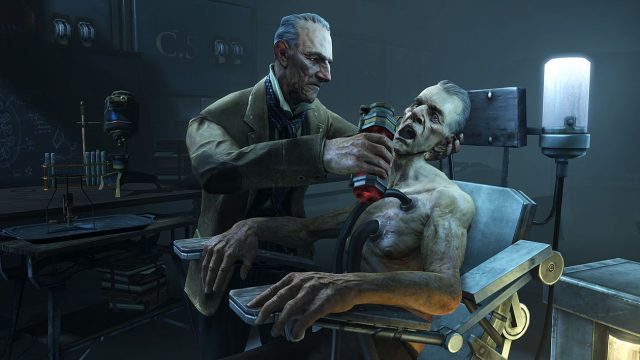
Dishonored is a stealth-action game developed by Arkane Studios, released in October 2012. Set in the plague-ridden city of Dunwall, players assume the role of Corvo Attano, the royal bodyguard framed for the murder of the Empress. As players navigate through a richly designed world filled with supernatural abilities, they must make choices that impact the game's narrative. Its combination of engaging gameplay and a captivating story has made it a standout title in the gaming community.
Platform Availability
Dishonored is accessible on several platforms, ensuring a broad audience can enjoy the game. Here are the available platforms:
- PC – Available on Steam and GOG.
- PlayStation – Download via the PlayStation Store.
- Xbox – Available on the Xbox Store.
- Nintendo Switch – Look for it on the Nintendo eShop.
System Requirements
Before downloading Dishonored, ensure your device meets the necessary system requirements. Here's a breakdown for PC users:
Minimum Requirements
- Operating System: Windows 7
- Processor: 2.4 GHz dual-core processor
- Memory: 2GB RAM
- Graphics: NVIDIA 8800 series or ATI 3800 with 512MB video memory
- DirectX: Version 9.0c
- Storage: 9GB free disk space
Recommended Requirements
- Operating System: Windows 7
- Processor: Dual-core CPU 2.5 GHz
- Memory: 4GB RAM
- Graphics: NVIDIA GeForce GTX 460 or ATI Radeon HD 6850 with 768MB+ memory
- DirectX: Version 11
- Storage: 9GB free disk space
How to Download Dishonored
Downloading and installing Dishonored is a straightforward process that varies slightly depending on the platform you choose. Below are detailed steps for each platform:
For PC (Steam)
- Open the Steam client. If you don't have it, download and install it from the official website.
- Create an account or log in.
- Use the search bar to enter "Dishonored".
- Select the game from the search results.
- Click on the "Add to Cart" button and complete your purchase.
- Once purchased, click the "Library" tab, select Dishonored, and click "Install".
For PlayStation
- Turn on your PlayStation console and navigate to the PlayStation Store.
- Search for "Dishonored" using the search function.
- Select the game from the list and click on "Buy Now" to purchase it.
- Once purchased, the game will begin downloading automatically.
For Xbox
- Power on your Xbox console and open the Xbox Store.
- Search for "Dishonored" using the search tool.
- Select the game from the results and proceed to purchase it.
- The game will download directly to your console following the purchase.
For Nintendo Switch
- Open your Nintendo Switch and go to the Nintendo eShop.
- Use the search feature to find "Dishonored".
- Select the game and click on "Purchase" to buy it.
- Dishonored will start downloading to your console.
Conclusion
Dishonored offers players an exhilarating experience filled with stealth, action, and rich storytelling. With its availability on multiple platforms, the game is easily accessible for anyone ready to dive into its world. Ensure your device meets the necessary requirements, follow our download guide, and prepare to embark on a thrilling adventure in Dunwall.
Latest news
-

The Best Mobile Game
Discover the best family-friendly mobile games per...
-
Mobile Gaming Events
Discover exciting virtual mobile gaming events you...
-
Gamification in Mobi
Explore how gamification in mobile apps can boost ...
-
Mobile Games Inspire
Explore popular mobile games inspired by beloved T...