Your Ultimate Guide to Downloading ARMA Reforger
Key Takeaways
- ARMA Reforger is available on multiple platforms including PC and consoles.
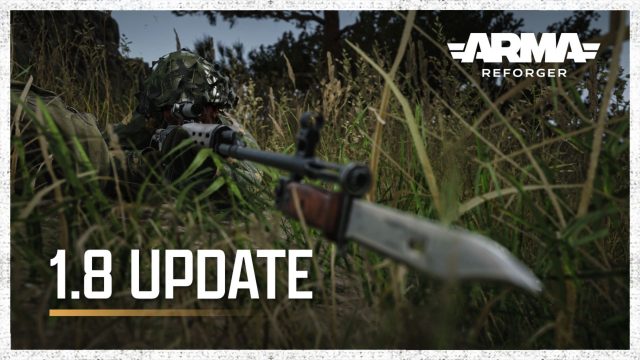
- The latest update (version 1.8) enhances gameplay features significantly.
- Follow our simple steps to ensure a smooth download and installation process.
- Understand system requirements for optimal performance on your device.
- Join the community of gamers and start playing today.
Overview of ARMA Reforger
ARMA Reforger is an exciting military simulation game that allows players to engage in strategic combat scenarios. This title is set within the renowned ARMA universe, offering an immersive experience for fans of tactical gameplay. The game has recently received a major update, introducing significant improvements aimed at enhancing visual quality and gameplay mechanics.
With a strong focus on creating realistic military operations, ARMA Reforger emphasizes teamwork and coordination among players. The introduction of new features in the latest update, such as enhanced grass rendering and role perks, makes the gaming experience even more engaging. Players can now utilize various strategies to outsmart their opponents in dynamic environments.
Platform Availability
ARMA Reforger is accessible on various platforms, making it easy for players to dive into the action from their preferred devices. Here’s where you can find the game:
- PC: Available on Steam. Players can purchase and download directly from the Steam Store.
- Consoles: Check the respective stores for PlayStation and Xbox for availability.
- Mobile: Currently, ARMA Reforger is not available on mobile platforms.
System Requirements
To ensure optimal gaming performance, it’s essential to meet the system requirements for ARMA Reforger. Here’s what you’ll need:
Minimum Requirements
- OS: Windows 10
- Processor: Intel Core i5-4460 or AMD FX-6300
- Memory: 8 GB RAM
- Graphics: NVIDIA GeForce GTX 960 or AMD Radeon 7970
- DirectX: Version 11
- Network: Broadband Internet connection
- Storage: 20 GB available space
Recommended Requirements
- OS: Windows 10
- Processor: Intel Core i7-4790 or AMD Ryzen 5 1500X
- Memory: 16 GB RAM
- Graphics: NVIDIA GeForce GTX 1060 or AMD Radeon RX 580
- DirectX: Version 11
- Network: Broadband Internet connection
- Storage: 20 GB available space
How to Download ARMA Reforger
Downloading ARMA Reforger is a straightforward process. Follow these steps to get started:
For PC Users via Steam
- Open the Steam application on your computer. If you don't have it, download it from the Steam website.
- Once logged in, use the search bar to find “ARMA Reforger”.
- Click on the game title and proceed to purchase it. Make sure to check for any ongoing promotions that might be available.
- After purchasing, select the “Install” button to begin the download.
- Once the download is complete, launch the game from your library to start playing.
For Console Users
- Access your console's store (PlayStation Store or Xbox Store).
- Search for “ARMA Reforger” and select it.
- Follow the prompts to purchase and download the game.
- Once downloaded, you can launch ARMA Reforger from your games library.
Conclusion
ARMA Reforger is a captivating addition to the military simulation genre, now enhanced with the latest updates. With availability on multiple platforms, including PC and consoles, players can easily immerse themselves in its tactical gameplay. Don’t miss out on the chance to experience the thrilling features and community engagement. Download ARMA Reforger today and join fellow gamers in exciting military operations!
Latest news
-

Celebrating Indie Mo
Discover the hidden gems among indie mobile games ...
-
Mobile Game Developm
Get an inside look at the mobile game development ...
-
Mobile Gaming Access
Enhance your gaming experience with the must-have ...
-
Mobile Multiplayer G
Explore how mobile multiplayer games foster friend...