Unlock New Adventures: Your Guide to Downloading BG3 Mods
Key Takeaways
- Mods can greatly enhance Baldur's Gate 3 gameplay.
- Official platforms like Steam make downloading easy.
- Installing mods opens up new campaign experiences.
- Seek community feedback for the best mods.
- Compatibility is key; ensure mods work with your game version.
Overview of Baldur's Gate 3 Modding
Baldur's Gate 3, developed by Larian Studios, is a rich role-playing game that immerses players in a world filled with magic and adventure. The game has garnered a passionate community, particularly in Southeast Asia, including countries like Indonesia, where gamers are constantly seeking new ways to expand their experience. One of the most exciting aspects of BG3 is its modding capability, allowing players to enhance gameplay with user-created content. Recently, exciting mods such as A Dream of Silence have captivated players by introducing new narratives and gameplay mechanics, making now the perfect time to explore the world of BG3 mods.
Platform Availability
Baldur's Gate 3 is primarily available on PC and Mac through popular digital distribution platforms such as Steam and GOG. These platforms provide easy access to the game and its mods. For players looking to delve into modding, it's essential to ensure that they have the latest version of the game installed, as mod compatibility often hinges on this factor. The modding community thrives, with many creators sharing their works on platforms like Nexus Mods, where players can find a range of mods tailored for BG3.
System Requirements for Baldur's Gate 3
Before diving into the world of mods, it's crucial to ensure your system meets the necessary requirements to run Baldur's Gate 3 effectively. Here’s a quick breakdown of the minimum and recommended specs:
Minimum Requirements
- OS: Windows 10 (64-bit)
- Processor: Intel Core i5-4690 or AMD FX-8350
- Memory: 8 GB RAM
- Graphics: NVIDIA GeForce 960 or AMD Radeon R9 380
- DirectX: Version 11
- Storage: At least 150 GB available space
Recommended Requirements
- OS: Windows 10 (64-bit)
- Processor: Intel Core i7-4770 or AMD Ryzen 5 1500X
- Memory: 16 GB RAM
- Graphics: NVIDIA GeForce 1060 or AMD Radeon RX 580
- DirectX: Version 11
- Storage: At least 150 GB available space
How to Download BG3 Mods
Downloading and installing mods for Baldur's Gate 3 is a straightforward process, provided you follow these steps carefully. For the best experience, it’s advised to use official platforms like Steam or GOG to manage your game installations and updates. Below, we detail the steps involved in downloading mods:
Step 1: Choose Your Platform
Visit your preferred digital store: Steam or GOG. Ensure you have Baldur's Gate 3 installed on your account.
Step 2: Explore Mods
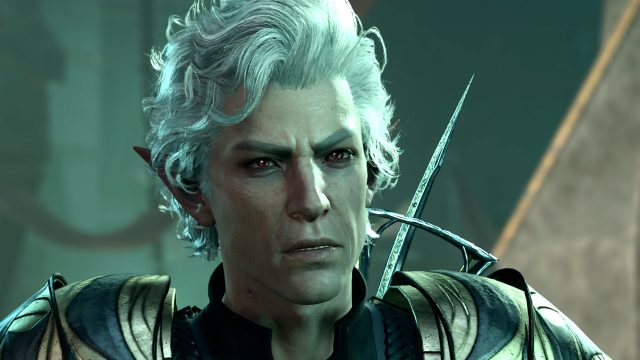
Your next step is to visit modding communities or sites, such as Nexus Mods. Here, you can browse through a variety of mods, including the A Dream of Silence campaign, which offers a unique storyline involving Astarion.
Step 3: Download Your Chosen Mods
Once you find a mod that interests you, click the 'Download' button on the mod's page. Make sure to read the mod description and requirements to ensure compatibility with your version of the game.
Step 4: Install the Mods
Most mods come with installation instructions. Follow these to place the mod files in the appropriate directories within your Baldur's Gate 3 installation folder. This typically involves copying certain files to the 'Mods' folder in your game directory.
Step 5: Launch the Game
After installing, launch Baldur's Gate 3 through your gaming platform. If everything is set up correctly, you should see your mods active in the game.
Conclusion
With the vibrant modding community around Baldur's Gate 3, players have the opportunity to explore new narratives and gameplay elements that continually refresh the experience. Whether you're looking for challenging new campaigns or fun enhancements, now is the perfect time to dive into BG3 mods. With the steps outlined above, you can easily download and install mods that will enhance your gameplay and provide a fresh perspective on this acclaimed RPG.
Latest news
-

Gaming with Friends:
Looking for fun co-op mobile games? Check out our ...
-
Designing for Mobile
Understand the vital aspects of designing games fo...
-
Future of Mobile Gam
Stay ahead of the curve with the latest trends in ...
-
How to Create Engagi
Learn how to create engaging content for mobile ga...