Rediscovering a Classic: Your Guide to Downloading War in the North
Key Takeaways
- War in the North returns to Steam after a long absence.
- Experience an RPG set in the iconic Lord of the Rings universe.
- Easily downloadable from the official Steam store.
- Suitable for both PC and compatible systems.
- Explore the game with friends in thrilling co-op mode.
Overview of The Lord of the Rings: War in the North
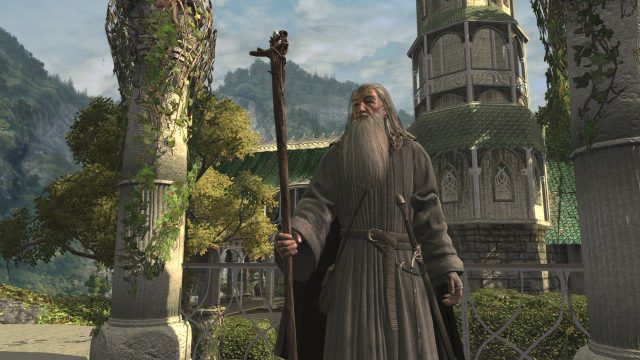
The Lord of the Rings: War in the North is a beautifully crafted action RPG that immerses players in J.R.R. Tolkien's legendary world. Originally launched in 2011, the game takes you through a gripping storyline that complements the epic narrative of the films.
Set against the backdrop of the War of the Ring, players can choose from three unique characters, each with distinct skill sets and abilities. The game is designed for cooperative play, allowing you to team up with friends and tackle challenges together. With engaging combat mechanics and a richly developed world, War in the North provides a fantastic gaming experience.
Platform Availability
Currently, The Lord of the Rings: War in the North is available exclusively on the Steam platform. This means that you can easily download it for your PC, making it accessible to a broad range of players. At this time, there are no announcements about its availability on other platforms, such as consoles or mobile devices.
System Requirements
Before you embark on your quest, ensure your system meets the following requirements:
Minimum Requirements
- OS: Windows XP or later
- Processor: Dual-core CPU 2.0 GHz
- Memory: 2 GB RAM
- Graphics: NVIDIA GeForce 7800 series or higher
- DirectX: Version 9.0c
- Storage: 25 GB available space
Recommended Requirements
- OS: Windows 7 or later
- Processor: Dual-core CPU 2.4 GHz
- Memory: 4 GB RAM
- Graphics: NVIDIA GeForce GTX 660 or equivalent
- DirectX: Version 11
- Storage: 25 GB available space
How to Download
Downloading The Lord of the Rings: War in the North is a straightforward process. Follow these steps to ensure a smooth installation:
- Open your web browser and navigate to the Steam Store page for War in the North.
- If you do not have a Steam account, create one by clicking the “Join Steam” button and following the prompts.
- Once you have logged into your account, search for "War in the North" using the search bar.
- Click on the game title to open its store page, and select “Add to Cart.”
- Proceed to checkout, and complete your purchase.
- After purchasing, the game will be added to your library.
- To install, go to your library, find War in the North, and click “Install.”
Remember, ensure your PC meets the system requirements for optimal performance. Once installed, you can dive into the adventure and experience this thrilling chapter of the Lord of the Rings saga!
Conclusion
The return of The Lord of the Rings: War in the North to the Steam platform is an exciting development for fans of the franchise and action RPGs alike. With its engaging narrative, stunning visuals, and cooperative gameplay, it’s a title that should not be missed. Whether you're a newcomer or returning to the realm of Middle-earth, this game will offer hours of entertainment and exploration.
Don't wait—load up Steam now and embark on your adventure in The Lord of the Rings: War in the North!
Latest news
-

How to Market Your M
Learn how to effectively market your mobile game i...
-
Unveiling the Next B
Get excited for the next big mobile game releases ...
-
Essential Mobile Gam
Discover the latest mobile games, installation ste...
-

Unlock the Magic: Ho
Explore our comprehensive guide on downloading mob...