Your Ultimate Guide to Downloading Roblox Games for Classroom Fun
Key Takeaways
- Roblox is available on multiple platforms for easy access.
- System requirements may vary based on the device used.
- Downloading games enhances educational engagement in classrooms.
- Official stores provide secure downloads for users.
- Roblox offers tools for students to learn game development.
Overview of Roblox
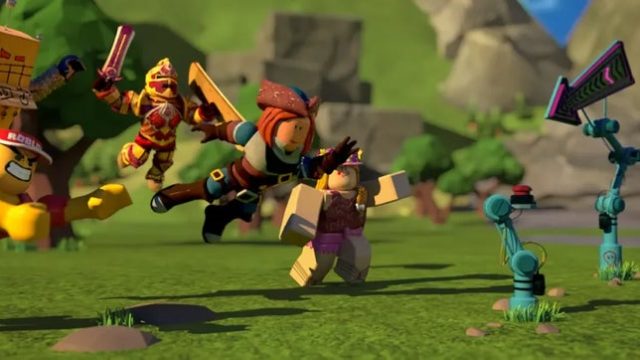
Roblox has transformed the gaming landscape, especially in educational settings. As a versatile platform, it allows users to create, share, and play games. With a growing emphasis on digital skills, Roblox has become increasingly relevant for students seeking hands-on experience in game development. The partnership with educational organizations aims to equip students with the necessary tools to learn coding and game design, making Roblox not just entertainment, but also a powerful educational resource.
Platform Availability
Roblox can be accessed on various platforms, ensuring players can enjoy their gaming experience anywhere. Here’s where you can find Roblox:
- PC: Download via the official Roblox website.
- Mac: Available for download on the Roblox website.
- Mobile Devices: Download from the Google Play Store or Apple App Store.
- Consoles: Play on Xbox One via the Xbox Store.
System Requirements
Before downloading Roblox, ensure your device meets the necessary specifications to guarantee optimal performance:
PC and Mac Requirements
- Operating System: Windows 7, iOS, or newer versions
- Processor: Intel Core i5 or equivalent
- RAM: Minimum 4 GB
- Graphics: DirectX 10 compatible
- Storage: At least 20 MB of free space
Mobile Requirements
- Operating System: Android 4.4 or later, iOS 10.0 or later
- Storage: Minimum 200 MB free space
- RAM: Recommended 1 GB or more
Console Requirements
- Xbox: Xbox One or newer
- Internet connection required for online play
How to Download
Downloading Roblox is a straightforward process. Follow these steps to get started:
For PC or Mac
- Visit the official Roblox website.
- Click on the Play button for a game of your choice.
- If prompted, download the Roblox player.
- Install the Roblox player and follow on-screen instructions.
For Mobile Devices
- Open the Google Play Store or Apple App Store.
- Search for "Roblox" and click on the official game.
- Select Install and wait for the download to complete.
For Xbox
- Go to the Xbox Store.
- Search for Roblox and select the game.
- Click on Get to download it.
Conclusion
Roblox is not just a gaming platform; it's a gateway to learning and creativity for students. By downloading Roblox, educators can leverage this tool to inspire the next generation of game developers. Whether you're in Southeast Asia, including bustling cities like Jakarta or Bali, or anywhere else, the accessibility of Roblox makes it an ideal choice for kids and educators alike. Start your game development journey today with Roblox!
Latest news
-

Upcoming Mobile Game
Stay ahead of the curve with the latest mobile gam...
-
The Evolution of Mob
Discover the latest trends in mobile game genres. ...
-

Your Complete Guide
Explore how to download the latest mobile games ac...
-
Your Ultimate Guide
Discover how to download FC 26 on various platform...