Essential Guide to Downloading Wardogs: Get Ready for the FPS Adventure
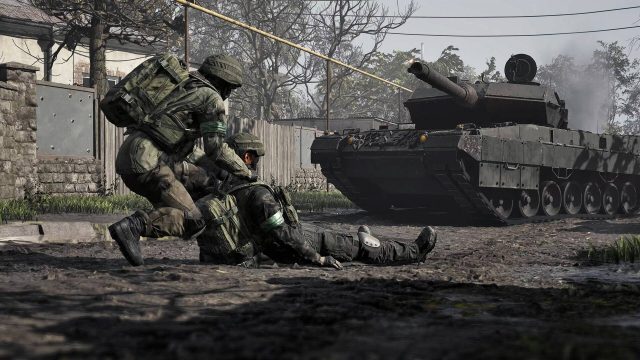
Overview of Wardogs
Wardogs is a thrilling first-person shooter (FPS) that promises to deliver an exciting gaming experience. Developed by the creative minds at Bulkhead, it aims to captivate players with its unique mechanics and engaging storyline. With a blend of intense action and strategic gameplay, Wardogs is poised to become a favorite among FPS enthusiasts. Its official release on Steam's Early Access is highly anticipated, making it a significant addition to the gaming landscape.
Platform Availability
Wardogs will primarily be available on Steam for PC users upon its Early Access launch. As of now, there are no official announcements regarding availability on other platforms such as PlayStation, Xbox, or Nintendo Switch. However, given the popularity of FPS games, it's possible that Bulkhead may consider expanding to these platforms in the future. For the best experience, checking Steam for updates is recommended as the release date approaches.
System Requirements
Before downloading Wardogs, it's crucial to ensure that your system meets the game's requirements. Here are the minimum and recommended specifications:
- Minimum Requirements:
- OS: Windows 10 (64-bit)
- Processor: Intel Core i5-2500K or AMD FX-6300
- Memory: 8 GB RAM
- Graphics: NVIDIA GeForce GTX 960 or AMD Radeon R9 280
- DirectX: Version 11
- Storage: 20 GB available space
- Recommended Requirements:
- OS: Windows 10 (64-bit)
- Processor: Intel Core i7-4770 or AMD Ryzen 5 1500X
- Memory: 16 GB RAM
- Graphics: NVIDIA GeForce GTX 1060 or AMD Radeon RX 580
- DirectX: Version 11
- Storage: 20 GB available space
Make sure your PC meets or exceeds these requirements for the best gameplay experience!
How to Download Wardogs
Getting ready to download Wardogs is simple. Follow these steps to ensure a smooth installation process:
- Create a Steam Account: If you don't have a Steam account, visit the Steam website to sign up.
- Install Steam: Download and install the Steam client on your PC. You can find the client on the Steam website under the 'Install Steam' option.
- Search for Wardogs: Open the Steam client and use the search function to find 'Wardogs.'
- Add to Wishlist: If the game isn't available for immediate purchase, add it to your wishlist to receive notifications when it becomes available.
- Purchase and Download: Once Wardogs is available, proceed to purchase, and then download it directly through the Steam client.
- Install the Game: Follow the prompts to install Wardogs. After the installation is complete, you can launch the game from your library.
Keep an eye on the official announcements for Wardogs on the Steam page to stay updated on its release.
Key Takeaways
- Wardogs is an upcoming FPS from Bulkhead, releasing on Steam Early Access.
- The game promises an engaging storyline and unique gameplay mechanics.
- Ensure your system meets the specified requirements for optimal performance.
- Follow the download steps to get Wardogs seamlessly once it goes live on Steam.
- Stay updated by checking the official Steam page for announcements.
Frequently Asked Questions
When is the release date for Wardogs?
The exact release date has not been announced, but it is confirmed to be part of Steam Early Access.
Can I play Wardogs on consoles?
Currently, Wardogs is set to launch on PC via Steam, with no confirmed console release at this time.
How much will Wardogs cost?
The pricing details are yet to be revealed. Keep an eye on the Steam store for updates.
Is there a multiplayer mode in Wardogs?
Details on game modes, including multiplayer, are expected to be shared closer to the launch date.
Where can I find updates about Wardogs?
Check the official Steam page and follow Bulkhead's social media channels for the latest news.
Latest news
-

Why Mobile Gaming is
Understand why mobile gaming is here to stay with ...
-
The Future of Mobile
Explore the latest trends in mobile game monetizat...
-
Navigating Mobile Ga
Learn everything you need to know about mobile gam...
-
Discover the New Fea
Explore the enhanced Minecraft experience on Ninte...