Your Comprehensive Guide to Downloading Embers Adrift
Key Takeaways
- Officially available on Steam and other platforms.
- Check system requirements before downloading.
- Follow easy installation steps to get started.
- Join a growing community of players across Southeast Asia.
- Stay updated with patches and improvements regularly.
Overview of Embers Adrift
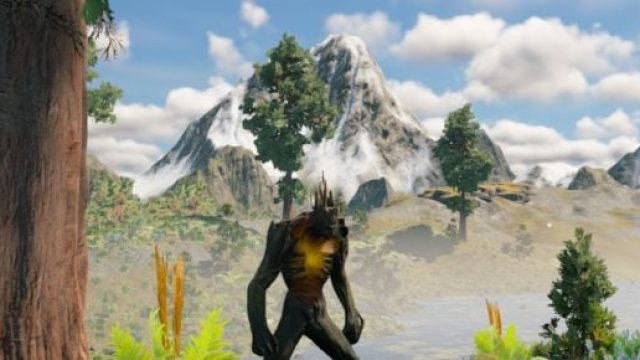
Embers Adrift is a captivating MMORPG set in a rich fantasy world, drawing players into an immersive experience filled with quests, exploration, and dynamic gameplay. Designed to cater to both casual and dedicated gamers, this title emphasizes community interaction and a unique approach to traditional RPG elements. Recent updates have focused on enhancing game performance, ensuring that players receive the best possible experience.
Platform Availability
Embers Adrift can be accessed on several platforms, making it widely available to players around the globe. Here are the primary platforms where you can find the game:
- Steam: The game is prominently featured on Steam, a leading platform for PC gaming, allowing for easy installation and updates.
- Official Website: You can also visit the official game website for additional information, game lore, and community engagement.
System Requirements
Before diving into the world of Embers Adrift, ensure your system meets the necessary requirements for optimal gameplay. Here’s what you will need:
Minimum Requirements
- OS: Windows 10 (64-bit)
- Processor: Intel Core i3 or equivalent
- Memory: 4 GB RAM
- Graphics: NVIDIA GeForce GTX 660 or equivalent
- DirectX: Version 11
- Network: Broadband Internet connection
- Storage: 10 GB available space
Recommended Requirements
- OS: Windows 10 (64-bit)
- Processor: Intel Core i5 or equivalent
- Memory: 8 GB RAM
- Graphics: NVIDIA GeForce GTX 970 or equivalent
- DirectX: Version 11
- Network: Broadband Internet connection
- Storage: 10 GB available space
How to Download
Getting started with Embers Adrift is straightforward. Follow these step-by-step instructions to ensure a smooth download and installation process:
Step 1: Access the Game Store
Visit the Steam Store or the official game website.
Step 2: Create an Account
If you don't already have a Steam account, you will need to create one. Registration is free and allows access to various games and community features.
Step 3: Search for Embers Adrift
Use the search bar to find Embers Adrift quickly. Click on the game’s title to access its store page.
Step 4: Purchase and Download
Follow the prompts to purchase the game if necessary. Once purchased, click on the “Install” button to start the download.
Step 5: Installation
After the download completes, the game will be installed automatically. You can check the progress in your Steam library.
Step 6: Launch the Game
Once installed, launch Embers Adrift from your library. Ensure your system meets the requirements for the best gaming experience.
Conclusion
Embers Adrift offers a unique gaming experience that caters to a diverse audience. With easy access through platforms like Steam, coupled with a supportive community, this MMORPG is worth exploring. Ensure your system meets the necessary specifications and follow the outlined steps for a smooth download. Join thousands of players in Southeast Asia and beyond as you embark on this exciting adventure!
Latest news
-

Ultimate Guide to Do
Discover how to download FC 26: The Shutout Specia...
-
Mobile Game Localiza
Learn about the importance of mobile game localiza...
-
Harnessing Social Me
Explore how to effectively use social media to pro...
-
How Mobile Games Are
Explore how AI technology is transforming mobile g...