Complete Guide to Downloading Fire Emblem Games
Key Takeaways
- Fire Emblem offers tactical RPG gameplay loved by many gamers.
- Available on platforms like Nintendo Switch, iOS, and Android.
- Check specific system requirements before downloading.
- Follow our installation steps for a seamless gaming experience.
- Explore regional availability, especially in Southeast Asia.
Overview of Fire Emblem Games
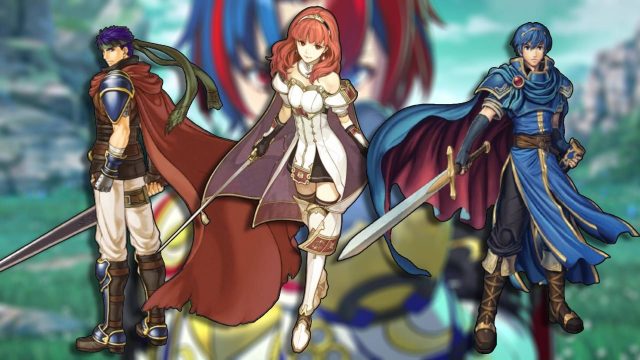
Fire Emblem is a celebrated franchise that blends tactical role-playing with rich narratives, featuring a diverse cast of characters, complex storylines, and engaging turn-based combat. Since its debut in 1990, the series has evolved significantly, introducing various gameplay mechanics and expanding its reach across multiple platforms. In recent years, the franchise has gained immense popularity, particularly among mobile gamers, thanks to adaptations like Fire Emblem Heroes.
Platform Availability
Fire Emblem games are primarily available on Nintendo systems, including:
- Nintendo Switch: The latest titles, including Fire Emblem: Three Houses, are available on this platform.
- Nintendo 3DS: Previous entries like Fire Emblem Fates provide great gameplay experience.
- Mobile Devices: Fire Emblem Heroes can be downloaded on both iOS and Android.
For fans in Southeast Asia, especially countries like Indonesia, these titles are accessible through official store links. Be sure to check your regional stores for availability.
System Requirements
Before downloading any Fire Emblem game, it's essential to understand the system requirements for each platform. Here’s a brief overview:
Nintendo Switch
- Minimum Requirements: Nintendo Switch console.
- Recommended: Updated firmware for optimal performance.
iOS Devices
- iOS Version: iOS 10.0 or later.
- Compatible Devices: iPhone 6s or newer, iPad 5th generation or newer.
Android Devices
- Android Version: Android 4.4 or later.
- Compatible Devices: Varies by game; check Google Play for specifics.
Always ensure your device meets these requirements to avoid performance issues.
How to Download
Downloading Fire Emblem games is straightforward. Follow these steps based on your platform:
For Nintendo Switch
- Power on your Nintendo Switch and connect to the internet.
- Navigate to the Nintendo eShop from the main menu.
- Search for the desired Fire Emblem game using the search function.
- Select the game from the results, then click on "Download" or "Purchase" if prompted.
- Once downloaded, the game will appear on your home screen.
For iOS Devices
- Open the App Store on your device.
- Use the search bar to find Fire Emblem Heroes.
- Tap on the game, then click on "Get" to download it.
- Authenticate your Apple ID if needed.
- Once installed, find the game on your home screen and start playing!
For Android Devices
- Access the Google Play Store on your device.
- Search for Fire Emblem Heroes.
- Select the game from the results and tap on "Install."
- Wait for the download and installation to finish.
- Launch the game from your app drawer once installed.
Conclusion
Fire Emblem games have captured the hearts of many gamers around the world, including the vibrant gaming community in Southeast Asia. By understanding the platforms available, system requirements, and following our detailed download steps, you can embark on your tactical RPG adventure in no time. Whether you’re strategizing on a Nintendo console or on your mobile device, the captivating world of Fire Emblem awaits!
Latest news
-

Mobile Game Trends t
Stay ahead of the curve with these emerging mobile...
-
Mobile Game Events:
Discover how participating in mobile game events c...
-
Ultimate Guide to Mo
Learn everything you need to know about streaming ...
-
Mobile Game Localiza
Learn why localization is crucial for mobile games...