Your Ultimate Guide to Download Firewatch on Mobile and More
Key Takeaways
- Firewatch is a narrative-driven game set in a national park.
- The game takes approximately 4-6 hours to complete.
- Available on multiple platforms including PC, PlayStation, and Xbox.
- Explore the beautiful landscapes while unraveling an engaging story.
- Download now and join the journey before it's gone from Game Pass!
Overview
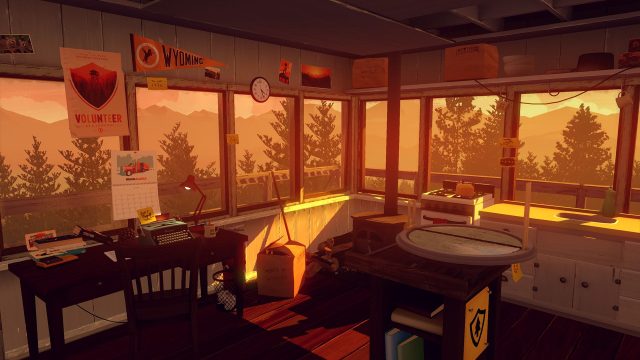
Firewatch is a critically acclaimed adventure game developed by Campo Santo and released in 2016. Set in the stunning Wyoming wilderness, players take on the role of Henry, a fire lookout who uncovers a series of mysterious events that unfold during his summer in the park. The game is renowned for its rich narrative, breathtaking visuals, and immersive gameplay.
As the gaming landscape evolves, Firewatch remains a significant title that resonates with players looking for a compelling story and an emotional experience. Now, more than ever, is a great time to dive into this unique adventure, especially with its current availability on various platforms.
Platform Availability
Firewatch is accessible on several gaming platforms, allowing players from different backgrounds and preferences to enjoy this masterpiece. Here’s where you can find it:
- PC: Available on Steam and Epic Games Store.
- PlayStation: Download from the PlayStation Store.
- Xbox: Available on the Xbox Store and Xbox Game Pass.
- Nintendo Switch: Find it on the Nintendo eShop for portable adventures.
System Requirements
Before downloading Firewatch, it’s essential to ensure your device meets the necessary specifications for optimal gameplay. Here are the system requirements for PC:
Minimum Requirements
- OS: Windows 7.
- Processor: 2.0 GHz Dual-Core Processor.
- Memory: 4 GB RAM.
- Graphics: NVIDIA GeForce 450 or AMD Radeon HD 5750.
- DirectX: Version 11.
- Storage: 4 GB available space.
Recommended Requirements
- OS: Windows 10.
- Processor: Dual-Core CPU 2.5 GHz.
- Memory: 8 GB RAM.
- Graphics: NVIDIA GeForce 660 or AMD Radeon HD 7870.
- DirectX: Version 11.
- Storage: 4 GB available space.
For console players, ensure your system is updated to the latest firmware to enjoy seamless gameplay.
How to Download
Downloading Firewatch is straightforward, regardless of the platform you choose. Follow these steps to start your adventure:
For PC (Steam or Epic Games Store)
- Open the Steam client or Epic Games Launcher on your PC.
- Use the search bar to find "Firewatch." Alternatively, browse the adventure game category.
- Select the game from the search results and click "Add to Cart" or "Purchase."
- Proceed with the payment to purchase the game.
- Once purchased, click on "Install" to begin downloading.
For PlayStation
- Turn on your PlayStation console and navigate to the PlayStation Store.
- Search for "Firewatch" in the search bar.
- Select the game and choose "Add to Library" or "Buy Now" for purchase.
- Follow the prompts to complete the purchase and install the game.
For Xbox
- Launch your Xbox console and navigate to the Xbox Store.
- Search for "Firewatch" using the search function.
- Select the game and click on "Buy Now" if you wish to purchase.
- Once it's in your library, download it directly to your console.
For Nintendo Switch
- Open the Nintendo eShop on your Nintendo Switch.
- Use the search feature to find "Firewatch." Alternatively, browse under the adventure section.
- Select the game and click "Proceed to Purchase."
- Complete the transaction to download the game to your Switch.
With these simple instructions, you can quickly download Firewatch and embark on an unforgettable journey. Enjoy the captivating scenery and gripping narrative that this game has to offer!
Conclusion
Firewatch stands out as a must-play experience in the gaming world. Its unique storytelling and beautiful environment provide a memorable adventure that resonates deeply with players. As the game is slated to leave Xbox Game Pass soon, there’s no better time than now to download it on your preferred platform. Don’t miss out on this immersive journey!
Latest news
-

Essential Guide to D
Discover how to download the latest mobile games s...
-
Your Ultimate Guide
Get ready to dive into Gears of War: E-Day with ou...
-
Your Ultimate Guide
Discover how to download Windup Inkay today! Explo...
-
Your Ultimate Guide
Discover how to download Beacon Pines and We Were ...