The Future of Gaming: Downloading Your Favorite Titles in 2023
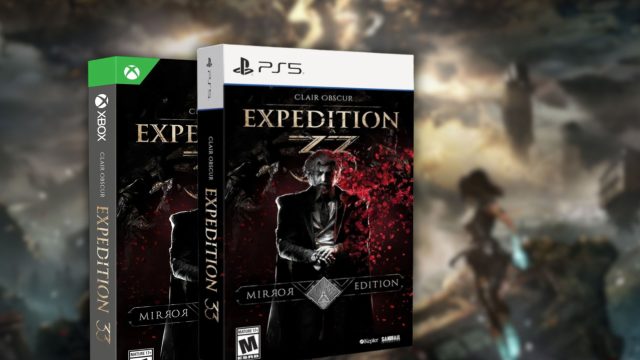
Key Takeaways
- Learn how to download games on iOS and cross-platform systems.
- Understand system requirements for a smooth gaming experience.
- Get step-by-step instructions for easy installation.
- Explore popular games available in Southeast Asia.
- Stay updated with the latest gaming trends and releases.
Overview of Mobile Gaming Downloads
With the rapid growth of the gaming industry, mobile gaming has become a significant part of the entertainment landscape. In 2023, players are increasingly seeking easy access to games across different platforms, including iOS, Android, and more. The convenience of downloading games on mobile devices allows users to engage in gameplay anytime, anywhere. As we explore the best practices for downloading games, it's essential to understand what systems and requirements are necessary for various devices.
Platform Availability
Mobile games are generally accessible on various platforms, providing an inclusive experience for gamers worldwide. Here’s a quick breakdown of where you can find your favorite titles:
- iOS: Available through the Apple App Store.
- Android: Download via Google Play Store.
- PC: Titles can be accessed on platforms like Steam, Epic Games Store, and others.
- Consoles: Users can download games from the PlayStation Store, Xbox Store, and Nintendo eShop.
System Requirements
Before diving into the installation steps, it’s crucial to check the system requirements for your chosen game to ensure optimal performance. Here’s a general guideline:
- iOS Devices: iOS version 12.0 or later, with at least 2GB RAM recommended.
- Android Devices: Android 6.0 (Marshmallow) or higher and a minimum of 2GB RAM.
- PC: Windows 10 or later, Intel Core i5 or equivalent, with at least 8GB RAM and a dedicated graphics card.
- Consoles: Ensure the console is updated to the latest firmware.
How to Download
Downloading games has never been easier. Follow these straightforward steps to install your favorite mobile games:
For iOS Devices
- Open the Apple App Store on your device.
- Use the search bar to find the game you want to download.
- Tap on the game icon, then click “Get” or the price button if it’s a paid title.
- Authenticate your Apple ID if prompted.
- Once downloaded, the game will appear on your home screen.
For Android Devices
- Launch the Google Play Store on your device.
- Type the game’s name in the search field.
- Select the game and tap on “Install.”
- Accept the permissions required for the game.
- The game will be installed and ready to play once finished.
For PC
- Open your preferred game platform (Steam, Epic Games, etc.).
- Search for the game using the search function.
- Select the game and click “Add to Cart” (if applicable) or “Install.”
- Proceed with payment if it’s a paid game.
- Follow on-screen instructions for installation.
For Consoles
- Navigate to your console’s store interface.
- Look for the game you wish to download.
- Select it and choose “Purchase” or “Download.”
- For free games, simply confirm the download.
- Once installed, the game will be accessible from your library.
Conclusion
As gaming continues to evolve, staying updated on how to access and download your favorite titles is crucial. With the industry shifting towards digital downloads, understanding the various platforms and installation processes will ensure that you can fully enjoy your mobile gaming experience. Whether you're in Southeast Asia or elsewhere, the ability to download and play games seamlessly is more essential than ever. So, get ready, download your favorite games, and immerse yourself in the exciting world of mobile gaming!
Latest news
-

The Future of Mobile
Explore the future of mobile gaming and trends to ...
-
The Impact of Mobile
Explore the impact of mobile gaming on mental heal...
-
Upcoming Mobile Game
Get ready for exciting mobile game releases in 202...
-
Mobile Gaming: A Gui
Ensure your mobile gaming experience is secure and...