Explore Your Hometown: How to Download and Use Google Earth
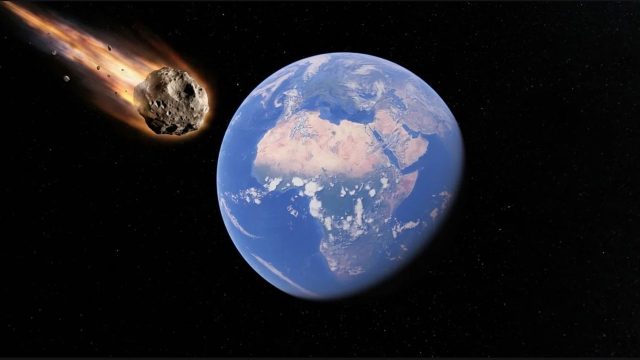
Key Takeaways
- Access Google Earth for free on various platforms.
- Leverage AI prompts to generate engaging geographical scenarios.
- Available on desktop and mobile for wider accessibility.
- Supports exploration of specific regions like Southeast Asia and Indonesia.
- Easy installation steps ensure a hassle-free experience.
Overview
Google Earth stands as a groundbreaking tool that transforms the way we perceive our surroundings. Using cutting-edge technology, it allows users to explore the globe with stunning detail, from tranquil landscapes to bustling cities. But it doesn't stop there; the recent introduction of AI prompts makes this experience even more interactive and imaginative. Whether you're a casual user or a geography enthusiast, Google Earth is equipped to meet your exploration needs while raising important discussions about the implications of AI-driven content generation.
Platform Availability
Google Earth is available on multiple platforms, making it accessible to a wide range of users:
- Windows: Download via the Official Google Earth Website.
- macOS: Also downloadable from the Official Google Earth Website.
- iOS: Available on the Apple App Store.
- Android: Find it on the Google Play Store.
- Web: Access Google Earth directly through your browser at earth.google.com.
System Requirements
Before downloading Google Earth, check the following system requirements to ensure compatibility:
For Desktop Users
- Windows: Windows 7 or later, 2GB of RAM, and a 512MB graphics card.
- macOS: OS X 10.10 or later, 2GB of RAM, and a 512MB graphics card.
For Mobile Users
- iOS: Requires iOS 12 or later.
- Android: Compatibility depends on device specifics; most modern devices can run the app.
How to Download
Downloading Google Earth is a straightforward process. Follow these steps based on your platform:
For Windows and macOS
- Visit the Google Earth Download Page.
- Select the appropriate version for your operating system.
- Download and run the installer.
- Follow the on-screen instructions to complete the installation.
For iOS Devices
- Open the Apple App Store.
- Search for "Google Earth."
- Tap on "Get" to download the app.
- Once downloaded, open the app to start exploring.
For Android Devices
- Open the Google Play Store.
- Search for "Google Earth."
- Tap on "Install" to download the app.
- After installation, launch the app and begin your exploration journey.
Conclusion
Google Earth serves as a remarkable tool for visualization and exploration, enhanced even further with AI capabilities. Whether you're interested in exploring local geography or distant lands, Google Earth meets those needs with a user-friendly interface and rich features. Download it today to uncover the beauty of your environment and engage with innovative AI prompts that inspire creativity. Especially for users in Southeast Asia, including Indonesia, this tool provides a unique opportunity to deepen your understanding of your surroundings while embracing the digital age.
Latest news
-

Cross-Platform Gamin
Discover how cross-platform gaming is changing the...
-
Unlocking the Future
Explore the top mobile games to download in 2024 f...
-
Best Practices for D
Learn about the best practices for designing mobil...
-
Unleashing the Power
Explore the latest trends in mobile gaming for 202...