Ultimate Guide to Downloading the GTA 3D Trilogy Fanpatch
Key Takeaways
- Latest fanpatch fixes over 100 bugs in the GTA 3D Trilogy.
- Available for multiple platforms, including PC.
- Revives lost dialogue, improving player immersion.
- Essential for fans looking for an enhanced gaming experience.
- Easy installation process ensures quick access to improvements.
Overview of the GTA 3D Trilogy Fanpatch
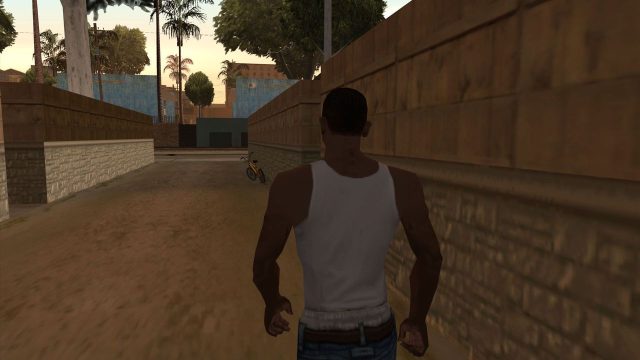
The GTA 3D Trilogy fanpatch is a community-driven project aimed at revitalizing the classic Grand Theft Auto games: GTA III, Vice City, and San Andreas. With over 100 new fixes and improvements, this update addresses various bugs, restores cut content, and enhances the overall gameplay experience. Particularly notable is the restoration of dialogue in San Andreas, which adds depth to the narrative that players have missed. For fans of the series in Southeast Asia and Indonesia, this fanpatch offers a reason to revisit these iconic titles and experience them like never before.
Platform Availability
This fanpatch is primarily designed for PC platforms, but its compatibility with the GTA 3D Trilogy versions available on Steam and other digital storefronts makes it accessible to a broad audience. Users can download the original games from official sources such as:
- Steam - Grand Theft Auto III
- Steam - Grand Theft Auto: Vice City
- Steam - Grand Theft Auto: San Andreas
System Requirements
To ensure optimal performance, it is essential to verify that your system meets the following requirements before installing the fanpatch:
Minimum Requirements
- OS: Windows 7 or later
- Processor: Intel Core 2 Duo 2.4 GHz or equivalent
- Memory: 2 GB RAM
- Graphics: NVIDIA 8800 series or AMD equivalent
- DirectX: Version 9.0
- Storage: 15 GB available space
Recommended Requirements
- OS: Windows 10
- Processor: Intel i5 series or equivalent
- Memory: 4 GB RAM or more
- Graphics: NVIDIA GeForce GTX 660 or AMD equivalent
- DirectX: Version 11
- Storage: 20 GB available space
How to Download
Follow these steps to download and install the GTA 3D Trilogy fanpatch:
- Ensure you have the original GTA 3D Trilogy games installed from a legitimate source like Steam.
- Visit the official fanpatch website, where you can find the latest version available for download.
- Download the fanpatch file, ensuring it is the most recent update.
- Extract the downloaded file to your desktop.
- Follow the included instructions in the README file for installation, which typically involves copying files to the game directory.
- Launch the game from your library and enjoy the enhanced features.
Conclusion
The GTA 3D Trilogy fanpatch is a must-have for fans looking to revisit these timeless classics with new life breathed into them. With numerous fixes and restored content, this update significantly enriches the gameplay experience. Make sure to take advantage of this opportunity to enhance your gaming experience and immerse yourself in the world of GTA like never before.
Latest news
-

Epic vs. Steam: The
Explore the differences between Epic Games and Ste...
-
Mobile Gaming Trends
Stay ahead of the curve with the latest mobile gam...
-
The Best Cross-Platf
Discover the best cross-platform mobile games of 2...
-
Top Strategies for W
Learn the top strategies for success in mobile gam...