Your Essential Guide to Downloading Games on Xbox and Beyond
Key Takeaways
- Learn to download games on Xbox, ensuring a seamless gaming experience.
- Available across Xbox Series X/S and Xbox One.
- Explore new games through official platforms and stores.
- Step-by-step installation instructions for various devices.
- Find out system requirements for your favorite games.
Overview
As gaming continues to evolve, the way we access and play our favorite titles has changed significantly. With the introduction of digital platforms, gamers can now download games directly to their consoles, eliminating the need for physical discs. This guide will walk you through the process of downloading games on Xbox consoles, ensuring you enjoy the latest titles without hassle. Whether you're in Southeast Asia, particularly in countries like Indonesia, or anywhere else, accessing games has never been more convenient.
Platform Availability
Downloading games is not limited to Xbox; it’s a cross-platform experience. Below are the primary platforms where you can find and download games:
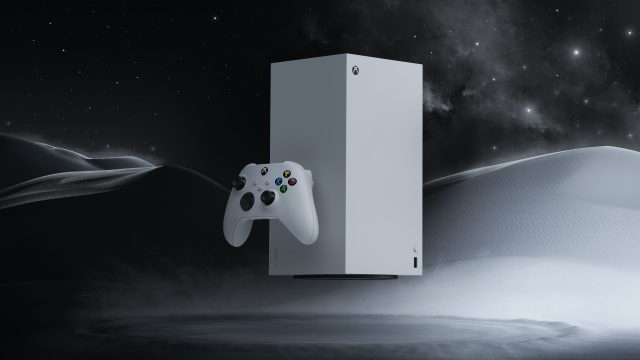
- Xbox Series X/S: The latest generation of Xbox consoles supports digital downloads for all available titles.
- Xbox One: Previous generation consoles still have access to a wide library of games for download.
- PC: Platforms like Steam and the Microsoft Store allow gamers to download titles directly to their computers.
- Mobile: Download games on Android or iOS devices through Google Play Store or Apple App Store.
System Requirements
To ensure a smooth gaming experience, it’s essential to meet the system requirements for your chosen games. Below are general guidelines for Xbox consoles:
- Xbox Series X: Minimum 1TB storage space, 10GB RAM, 4K resolution supported.
- Xbox Series S: Minimum 512GB storage space, 10GB RAM, 1440p resolution supported.
- Xbox One: Minimum 500GB storage space, 8GB RAM, 1080p resolution supported.
For PC gamers, check the specific game’s page for detailed requirements, which usually include processor speed, RAM, and graphics card specifications.
How to Download
Here’s a step-by-step guide to downloading games on your Xbox console:
Downloading Games on Xbox
- Turn on your console: Power up your Xbox and ensure it’s connected to the internet.
- Go to the Store: Navigate to the Xbox Store from the home screen.
- Search for your game: Use the search function to find the game you want. You can browse categories or use specific titles.
- Select the game: Click on the game’s tile to access its information page.
- Purchase or Download: If the game is free, click on 'Download'. For paid games, select 'Buy' and follow the prompts to complete your purchase.
- Install: After downloading, the game will automatically install. You can monitor progress in the 'My Games & Apps' section.
Downloading on PC
- Open the platform: Launch Steam or the Microsoft Store.
- Search for the game: Use the search bar to find your desired title.
- Select and purchase: Click on the game’s page, then choose to buy or download.
- Install: Follow the on-screen instructions to install the game to your PC.
Mobile Downloads
- Access the app store: Open Google Play or the Apple App Store.
- Search for the game: Use the search function to find your game.
- Download: Click 'Install' or 'Get' to download the game to your device.
Conclusion
In today’s gaming landscape, downloading games is essential and incredibly convenient. With platforms like Xbox leading the charge in digital gaming, players can access their favorite titles effortlessly. Whether you're in Jakarta or Bali, enjoy a world of gaming at your fingertips. Follow our guide for a straightforward download and installation process, and elevate your gaming experience today!
Latest news
-

All The Goth Girlies
Discover expert insights on game. Now that Gamesco...
-
Game: Fable – A New
Discover expert insights on game. Fable is playabl...
-
A Complete Guide to
Discover how to download Fable on various platform...
-

Your Ultimate Guide
Explore how to download Crimson Desert on various ...