Your Essential Guide to Downloading Halloween: The Game
Overview
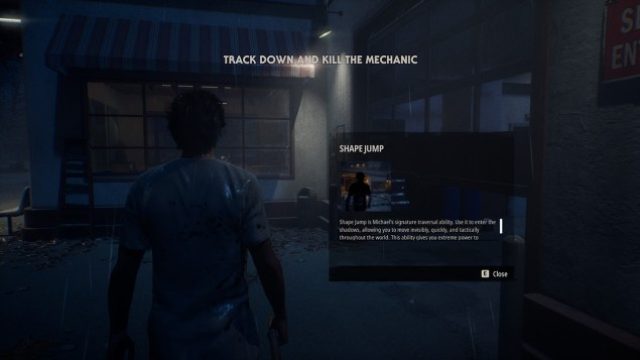
Halloween: The Game, developed by IllFonic, brings the chilling atmosphere of the iconic horror franchise to players in a thrilling multiplayer experience. This asymmetrical horror game allows players to assume the roles of civilians attempting to escape from a deadly killer, Michael Myers. Fans of survival horror and multiplayer gameplay will find this game to be an exhilarating addition to their collection, especially as the Halloween season approaches.
Platform Availability
Halloween: The Game is available on multiple platforms, allowing players to join the horror action wherever they are. The game can be downloaded from the following official platforms:
- Epic Games Store - For PC users
- PlayStation Store - Available on PS4 and PS5
- Xbox Store - For Xbox One and Xbox Series X/S
- Nintendo eShop - On Nintendo Switch
System Requirements
Before diving into the terrifying world of Halloween: The Game, ensure your system meets the following requirements:
PC Requirements
- OS: Windows 10 (64-bit)
- Processor: Intel Core i5-2500K / AMD FX-6300
- Memory: 8 GB RAM
- Graphics: NVIDIA GeForce GTX 660 / AMD Radeon HD 7870
- DirectX: Version 11
- Storage: 20 GB available space
Console Requirements
For console players, ensure you have a valid subscription to online services:
- PS4/PS5: PlayStation Plus subscription required
- Xbox One/Xbox Series X/S: Xbox Live Gold subscription required
- Nintendo Switch: Nintendo Switch Online subscription recommended
How to Download
Downloading Halloween: The Game is a straightforward process. Follow these steps based on your platform:
For PC (Epic Games Store)
- Visit the Epic Games Store.
- Create an Epic Games account or log in.
- Search for "Halloween: The Game" in the search bar.
- Click on the game and select "Get" to add it to your library.
- Complete any payment if necessary and follow the prompts to install.
For PlayStation (PS4/PS5)
- Open the PlayStation Store from your console.
- Search for "Halloween: The Game".
- Select the game and choose "Download".
- Once downloaded, install it from your library.
For Xbox (Xbox One/Xbox Series X/S)
- Launch the Xbox Store from your console.
- Use the search function to find "Halloween: The Game".
- Select the game and click "Install".
For Nintendo Switch
- Open the Nintendo eShop on your console.
- Search for "Halloween: The Game".
- Select the game and choose "Download" to begin the installation.
Key Takeaways
- Halloween: The Game offers a unique multiplayer horror experience.
- Available on PC, PlayStation, Xbox, and Nintendo Switch.
- Ensure your system meets minimum requirements for optimal performance.
- Follow the specific download steps for your platform.
- Join friends online for an exhilarating gaming experience this season.
Frequently Asked Questions
Is Halloween: The Game free to play?
No, Halloween: The Game is a paid title available for purchase on various platforms.
Can I play Halloween: The Game solo?
The game is primarily designed for multiplayer, but you can play against AI-controlled opponents.
What are the age restrictions for Halloween: The Game?
The game is rated M for Mature audiences due to its horror content.
Will there be updates or DLC for Halloween: The Game?
Developers may release updates or downloadable content in the future, enhancing gameplay features.
Where can I find community discussions about the game?
Join forums or social media groups dedicated to Halloween: The Game for community insights and strategies.
Latest news
-

Your Ultimate Guide
Discover how to download First Class Trouble for f...
-

Your Essential Guide
Learn how to download Halloween: The Game with our...
-
Mastering Mobile Gam
Discover how to download top mobile games on iOS a...
-
Ultimate Guide to Do
Discover essential steps to download mobile games ...