Explore Knytt Classic: Your Guide to Downloading the Indie Gem
Key Takeaways
- Knytt Classic is a free platformer, now optimized for modern systems.
- Original game released in 2006, capturing the hearts of many players.
- Developed by Nifflas and re-released by Bit Kid on Steam.
- Perfect for casual gameplay and exploration enthusiasts.
- Available to download instantly from the official Steam platform.
Overview of Knytt Classic
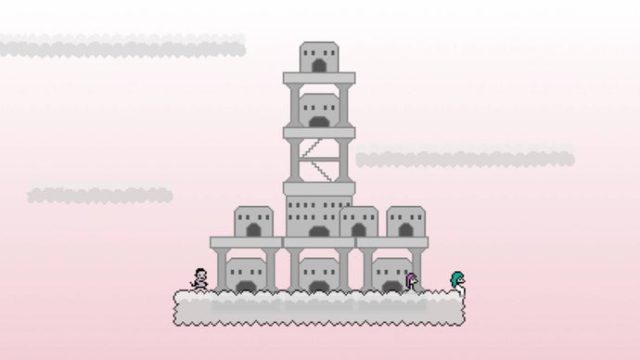
Knytt Classic, a relaunch of the iconic indie game from 2006, has recently made waves with its free availability on Steam. Created by the talented solo developer Nifflas, this platformer is known for its serene atmosphere and captivating gameplay. Players embark on a journey to collect parts for a crashed spaceship, exploring beautifully designed environments.
This new version, called Knytt Classic, enhances the original experience with pixel-perfect graphics and is tailored to work seamlessly on modern hardware. Whether you are a long-time fan or a newcomer, Knytt Classic offers a nostalgic trip that remains relevant in today's gaming landscape.
Platform Availability
Knytt Classic is primarily available for PC users via Steam, where it can be downloaded completely free of charge. Here’s how you can access it:
- Steam: The game can be found in the Steam Store. Simply search for "Knytt Classic" or access it directly through the Steam app.
- Other Platforms: While currently exclusive to Steam, players can keep an eye out for potential future releases on additional platforms, especially in regions like Southeast Asia (Indonesia, ASEAN, etc.), where indie titles are gaining traction.
System Requirements
Minimum Requirements
- OS: Windows 7 or later
- Processor: 1.0 GHz or faster
- Memory: 1 GB RAM
- Graphics: DirectX-compatible video card
- Storage: 100 MB available space
Recommended Requirements
- OS: Windows 10
- Processor: Dual-core processor or greater
- Memory: 2 GB RAM
- Graphics: NVIDIA GeForce or AMD Radeon with 512MB VRAM
- Storage: 200 MB available space
Ensure your system meets the required specifications to enjoy a smooth gaming experience. The charming visuals and soundscape of Knytt Classic are best appreciated on adequate hardware.
How to Download Knytt Classic
Getting started with Knytt Classic is a breeze. Follow these steps to download and install the game:
- Install Steam: If you don't have Steam installed, download it from the official Steam website.
- Create an Account: Sign up for a free Steam account if you don’t already have one.
- Search for Knytt Classic: Open the Steam client and use the search bar to find "Knytt Classic".
- Download the Game: Click on the game title and hit the "Install" button. The game will automatically download to your library.
- Launch and Play: Once downloaded, you can find Knytt Classic in your library, ready to play at your convenience.
You can embark on your journey in Knytt Classic today! This indie platformer promises a blend of relaxation and challenge, ideal for players seeking immersive gameplay without the pressure of traditional gaming.
Conclusion
With its recent re-release, Knytt Classic stands out as a timeless journey worth exploring. The game's accessibility and free download make it an excellent choice for both seasoned gamers and newcomers. Dive into the world of Knytt Classic today and experience the charm that has captivated players since 2006.
Latest news
-

The Future of Mobile
Explore the latest trends in mobile game monetizat...
-
Geoff Keighley Confi
Discover expert insights on game. The iOS and cros...
-

Essential Guide to D
Learn how to download Final Fantasy 7 Rebirth on i...
-
Your Ultimate Guide
Discover how to easily download games on Xbox Game...