How to Download and Play Lord of the Rings: War in the North Now
Key Takeaways
- Lord of the Rings: War in the North is available on Steam and PlayStation Store.
- The game originally launched on November 1, 2011, shortly before Skyrim.
- System requirements vary based on platform; check specifics before downloading.
- Engage in cooperative gameplay to explore Middle-earth's epic stories.
- Visit yunesto.com for top tips and game news in Southeast Asia.
Overview
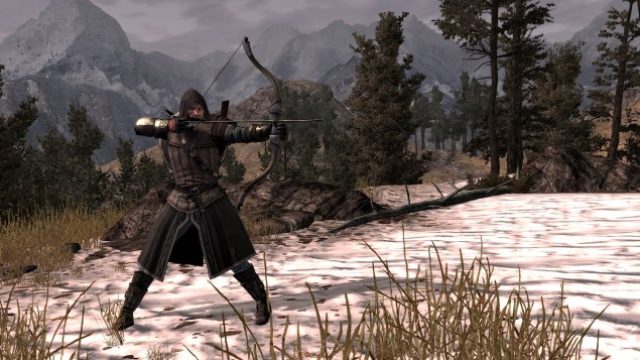
Lord of the Rings: War in the North is an action role-playing game set in the iconic universe created by J.R.R. Tolkien. Released in 2011, this title immerses players in the rich lore and epic battles of Middle-earth. Players can explore familiar locations, face formidable foes, and experience a unique narrative that complements the larger story of the Lord of the Rings saga. The game has garnered attention not only for its engaging gameplay but also for its perfect blend of cooperative play and storytelling.
As the digital landscape evolves, now is the perfect time to revisit this classic or discover it for the first time. Recent updates have enhanced the experience, making it even more accessible for gamers today. Whether you're a seasoned fan or a new adventurer, Lord of the Rings: War in the North promises an unforgettable journey.
Platform Availability
Lord of the Rings: War in the North is available on multiple platforms, ensuring that gamers can enjoy this title no matter their preferred gaming system. Here’s where you can find it:
- Steam: PC users can easily download and play through Steam. Simply search for the game in the store.
- PlayStation Store: PlayStation users can purchase and download the game from the PlayStation Store.
- Xbox Store: Xbox players can access the game on Microsoft’s platform, though availability may vary by region.
- Nintendo eShop: As of now, the game is not available on the Nintendo platform but keep an eye on updates.
System Requirements
To ensure the best gameplay experience, it’s vital to check the system requirements. Here’s a breakdown based on the platform:
PC Requirements
- OS: Windows XP, Vista, or 7
- Processor: 2.4 GHz dual-core
- Memory: 2 GB RAM
- Graphics: NVIDIA GeForce 8800 series or ATI Radeon HD 3800 series with 512MB VRAM
- DirectX: Version 9.0c
- Storage: 11 GB available space
PlayStation or Xbox Requirements
- System: PlayStation 3 or Xbox 360
- Storage: Sufficient space on the console for game installation
How to Download
Downloading Lord of the Rings: War in the North is a straightforward process. Here’s how you can get started:
For PC Users
- Visit the Steam Store.
- Use the search function to find Lord of the Rings: War in the North.
- Click on the game and select 'Add to Cart' to purchase.
- Proceed to checkout and follow the prompts to complete your purchase.
- Once the transaction is complete, click 'Install' to begin downloading the game.
For PlayStation Users
- Access the PlayStation Store from your console or browser.
- Search for Lord of the Rings: War in the North.
- Select the game and click 'Buy Now' to make your purchase.
- After purchase, the game will automatically appear in your library for download.
- Download the game directly to your console.
For Xbox Users
- Open the Xbox Store.
- Search for Lord of the Rings: War in the North.
- Choose the game and hit 'Buy' to purchase it.
- Like PlayStation, the game will be available in your library for download post-purchase.
- Download and install the game via your console.
Conclusion
Lord of the Rings: War in the North offers a captivating experience that blends classic RPG elements with cooperative gameplay. As the gaming landscape is more vibrant than ever, now is the time to dive into this engaging title and experience the rich lore of Middle-earth from a fresh perspective. Whether you're in Southeast Asia or anywhere else, the game is readily accessible through major platforms. Check it out on Steam, the PlayStation Store, or the Xbox Store, and embark on your adventure today!
Latest news
-

Understanding the Mo
Get insights into current trends in the mobile gam...
-
10 Mobile Games with
Discover the top mobile games of 2023 that showcas...
-
Is Mobile Gaming the
Discover expert opinions on the future of mobile g...
-
The Best Game Genres
Discover the best game genres to explore on mobile...