Your Complete Guide to Downloading Manor Lords: Tips and Tricks
Key Takeaways
- Manor Lords is available on multiple platforms.
- The game requires specific system configurations to run smoothly.
- Official download links ensure a safe installation.
- Join millions who have embraced this engaging city-builder.
- Find out the best strategies for installation based on your device.
Overview of Manor Lords
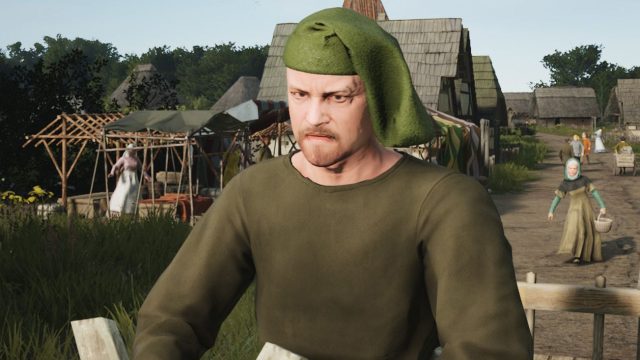
Manor Lords is a captivating city-building and strategy game that has been making waves since its beta release. With over 4 million copies sold, it has established a strong fanbase eager to dive into its world. In the game, players take on the dual role of a lord managing their domain and a military commander guiding their troops in battles. The latest updates have introduced exciting features, including extensive farming mechanics that allow players to immerse themselves in the farming simulation aspect. Players can now become cow-herding moguls, making this the perfect time to join the community.
Platform Availability
This engaging game can be found on several platforms to accommodate a diverse gaming audience. Currently, players can download Manor Lords on:
- PC (Steam) - Available on Steam, the most popular digital distribution platform for PC gaming.
- Epic Games Store - Also available for download via the Epic Games Store.
- Consoles - While currently not available for consoles, updates regarding potential future releases will be communicated through official channels.
System Requirements
To ensure a seamless and enjoyable gaming experience, it's crucial to meet the system requirements for Manor Lords. Below are the recommended specifications for optimal performance:
Minimum System Requirements
- OS: Windows 10 (64-bit)
- Processor: Intel Core i5-2500K or AMD equivalent
- Memory: 8 GB RAM
- Graphics: NVIDIA GeForce GTX 760 or AMD Radeon HD 7950
- DirectX: Version 11
- Storage: 20 GB available space
Recommended System Requirements
- OS: Windows 10 (64-bit)
- Processor: Intel Core i7-4770 or AMD equivalent
- Memory: 16 GB RAM
- Graphics: NVIDIA GeForce GTX 1060 or AMD Radeon RX 580
- DirectX: Version 11
- Storage: 20 GB available space
How to Download Manor Lords
Downloading Manor Lords is a straightforward process. Follow these steps to ensure you have the game set up efficiently:
For PC Users on Steam
- Visit the Steam page for Manor Lords.
- If you don’t have Steam, download and install the Steam client from their official website.
- Create a Steam account or log into your existing account.
- Add Manor Lords to your cart and proceed to purchase the game.
- Once purchased, the game will appear in your library. Click on it to initiate the download.
For Epic Games Store Users
- Go to the Epic Games Store page for Manor Lords.
- If you don’t have the Epic Games Launcher, download it from their official site.
- Log in or create an Epic Games account.
- Follow the prompts to purchase and download Manor Lords from the store.
Installing on Your Device
After downloading, follow these steps to install Manor Lords:
- Open the game from your library on the respective platform.
- Follow any on-screen instructions to complete the installation process.
- Once installed, launch the game and start creating your empire!
Conclusion
With its engaging gameplay and the exciting opportunity to manage farms and lead armies, Manor Lords offers a unique experience for strategy game lovers. As the game continues to evolve with updates, now is the perfect time to join the growing community. Ensure you meet the system requirements for the best experience and use the official download links for a safe installation. Happy gaming!
Latest news
-

Your Ultimate Downlo
Unlock the best mobile games now! Follow our guide...
-

Unlocking the Future
Explore The Player Council, Ubisoft‘s new platform...
-
Your Guide to Downlo
Learn how to easily download top mobile games on Y...
-
Unlocking the Excite
Discover how to download EA SPORTS FC Mobile 27 wi...