Your Essential Guide to Downloading Moonlighter on All Platforms
Key Takeaways
- Moonlighter is available for free on Steam for a limited time.
- Playable on iOS, PC, PlayStation, Xbox, and Nintendo Switch.
- System requirements vary by platform; check before downloading.
- Follow our simple steps to install and start playing.
- Perfect for fans of roguelike and indie games.
Overview of Moonlighter
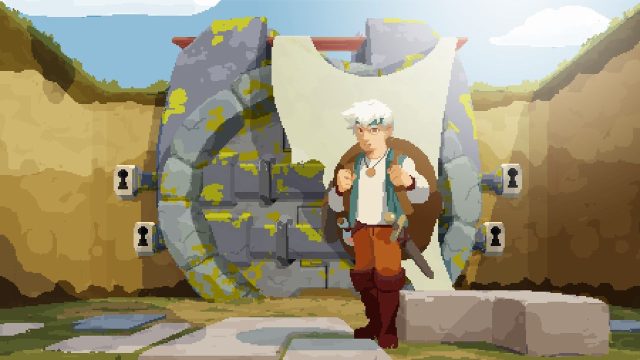
Moonlighter is an indie gem that masterfully combines shopkeeping and dungeon-crawling gameplay. Players balance the life of a shopkeeper with the adventurous thrills of exploring dungeons filled with treasures and creatures. Set in the vibrant world of Rhynoka, players can engage in combat, gather loot, and manage their shop to become the ultimate adventurer. This game not only offers engaging mechanics but also a charming pixel-art style that captivates gamers worldwide.
Why Download Moonlighter Today?
With Moonlighter currently available for free on Steam for a limited time, there's no better opportunity to dive into this captivating game. It blends excitement with strategy, allowing players to explore dungeons by day and sell their finds in a bustling shop by night. This duality offers a unique gaming experience that appeals to fans of various genres, making it a must-try title for both casual and hardcore gamers, especially within the Southeast Asia region like Indonesia.
Platforms Availability
Moonlighter is available on a variety of platforms:
- PC: Downloadable via Steam and GOG.
- iOS: Available for download on the Apple App Store.
- PlayStation: Purchase on the PlayStation Store.
- Xbox: Find it on the Xbox Store.
- Nintendo Switch: Available through the Nintendo eShop.
System Requirements
Before you download Moonlighter, ensure your device meets the following system requirements:
PC (Steam/GOG)
- OS: Windows 7 or later
- Processor: Intel Core 2 Duo
- Memory: 4 GB RAM
- Graphics: NVIDIA GeForce 8600/9600 or AMD Radeon HD 2600/3600
- DirectX: Version 9.0
- Storage: 1 GB available space
iOS
- Compatible with iOS devices running iOS 11.0 or later.
PlayStation and Xbox
- Check respective store pages for specific console requirements.
Nintendo Switch
- Requires latest system software update for optimal performance.
How to Download Moonlighter
Follow these easy steps to download Moonlighter on your preferred platform:
Downloading on PC (Steam)
- Open the Steam client on your PC.
- Search for "Moonlighter" in the store.
- Add the game to your library and proceed to checkout.
- Once downloaded, install and launch the game.
Downloading on iOS
- Open the Apple App Store on your device.
- Search for "Moonlighter".
- Tap the "Get" button to download and install the app.
Downloading on PlayStation
- Access the PlayStation Store from your console.
- Search for "Moonlighter".
- Select the game and follow the prompts to purchase and download.
Downloading on Xbox
- Open the Xbox Store on your console.
- Search for "Moonlighter".
- Purchase and download the game to your library.
Downloading on Nintendo Switch
- Open the Nintendo eShop on your console.
- Search for "Moonlighter".
- Follow the prompts to purchase and install the game.
Conclusion
Moonlighter offers a unique blend of shopkeeping and dungeon exploration that appeals to a wide range of players, especially amidst the growing mobile gaming market in Southeast Asia. With its current free availability on Steam, there’s no better time to join in on this enchanting adventure. Download now and experience the fun for yourself!
Latest news
-

Mobile Games That Ar
Stay updated with the mobile games taking over the...
-
Ultimate Mobile Game
Discover how to download popular mobile games on i...
-
Mobile Gaming vs. Co
Explore the key differences between mobile gaming ...
-
All the video game r
Discover expert insights on game. The iOS and cros...