Your Complete Guide to Downloading Nodusfall: The Next Big Action Game
Introduction
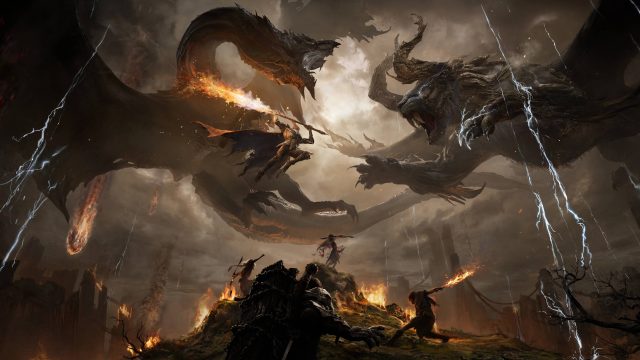
Nodusfall marks an exciting new entry in the action game genre, developed by the acclaimed HoYoverse, known for their hit title Genshin Impact. As players prepare for a thrilling experience, it's essential to understand how to access and install this eagerly anticipated game across various platforms. This guide outlines everything you need to know, from platform availability to installation steps, ensuring you're ready to dive into the battle against formidable monsters.
Key Takeaways
- Nodusfall is available on iOS, Android, and PC platforms.
- Official downloads can be found on the Apple App Store and Google Play Store.
- PC versions may be available on platforms like Steam and Epic Games Store.
- Keep system requirements in mind for the best gaming experience.
- Release is expected to engage players in Southeast Asian markets heavily.
Platform Availability
Nodusfall is set to launch across multiple platforms, catering to a wide audience of gamers. Here’s where you can find Nodusfall:
- iOS: Download from the Apple App Store.
- Android: Download from the Google Play Store.
- PC: Check platforms like Steam and Epic Games Store for availability.
System Requirements
To ensure Nodusfall runs smoothly on your device, it’s crucial to check the game’s system requirements. While specifics will depend on the exact platform, here’s a general overview:
Mobile Devices
- iOS: Requires iOS 12.0 or later; compatible with iPhone 6s and newer.
- Android: Requires Android 8.0 (Oreo) and above; system performance varies by manufacturer.
PC
- Minimum Requirements:
- OS: Windows 10 (64-bit) or later
- Processor: Intel Core i5 or AMD Ryzen 5
- RAM: 8GB
- Graphics: NVIDIA GeForce GTX 660 or equivalent
- Recommended Requirements:
- OS: Windows 10 (64-bit) or later
- Processor: Intel Core i7 or AMD Ryzen 7
- RAM: 16GB
- Graphics: NVIDIA GeForce GTX 1060 or equivalent
How to Download
Downloading Nodusfall is a straightforward process, whether you’re using a mobile or PC platform. Follow these simple steps to get started:
For Mobile Users
- iOS: Go to the Apple App Store, search for 'Nodusfall', and tap 'Get' to download and install the game.
- Android: Open the Google Play Store, search for 'Nodusfall', and click 'Install' to begin downloading the game.
For PC Users
- Visit the Steam or Epic Games Store.
- Create or log into your account.
- Search for Nodusfall and select 'Download'.
- Follow the on-screen instructions to install the game on your PC.
Engaging with the Community
As you embark on your adventure in Nodusfall, consider joining the game’s community. Platforms like Discord and Reddit host discussions, tips, and strategies, connecting players worldwide. This engagement can enhance your gaming experience and provide insights into tackling the game's challenges.
Conclusion
Nodusfall is poised to capture the hearts of action game enthusiasts, especially within the vibrant Southeast Asian gaming market. By understanding how to download and access the game across various platforms, you can ensure that you're among the first to experience this exciting new title. Prepare your devices and dive into the action!
Latest news
-

How to Optimize Your
Learn essential strategies to optimize your mobile...
-
Reviewing the Best G
Explore the best game streaming services available...
-
The Role of Storytel
Uncover the significance of storytelling in mobile...
-
Upcoming Mobile Game
Stay ahead of the game with our list of highly ant...