Ultimate Guide to Downloading Old School RuneScape Now
Key Takeaways
- Old School RuneScape is available on multiple platforms.
- System requirements vary by device.
- Download easily from official stores.
- Join a vibrant community and enjoy a nostalgic gaming experience.
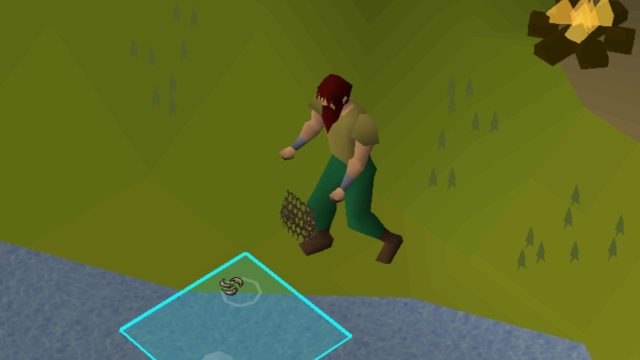
- Fishing is just one of many skills you can master!
Overview of Old School RuneScape
Old School RuneScape (OSRS) is a massively multiplayer online role-playing game (MMORPG) that transports players back to the classic RuneScape experience. Launched in 2013, OSRS has grown a dedicated community of players who appreciate its nostalgic gameplay, engaging quests, and open-world environment. This title stands out for its commitment to player feedback, with frequent polls that influence game updates and new features.
What makes OSRS particularly appealing today is its accessibility for both seasoned players and newcomers. Whether you are interested in grinding skills, participating in player-versus-player (PvP) events, or exploring richly crafted narratives, OSRS offers something for everyone.
Platform Availability
Old School RuneScape is available on a variety of platforms, ensuring that players can access the game from their preferred devices. Here are the platforms where you can find OSRS:
- PC: Download via the official RuneScape website or platforms like Steam.
- Mac: Accessible through the official website or Steam.
- iOS: Available on the Apple App Store for iPhone and iPad.
- Android: Download from Google Play Store for Android devices.
System Requirements
PC and Mac
To ensure a smooth gaming experience on PC or Mac, your system should meet the following minimum requirements:
- OS: Windows 7 or later or macOS 10.10 or later
- Processor: 2.6 GHz or faster
- Memory: 4 GB RAM
- Graphics: OpenGL 2.0 compatible graphics card
Mobile Devices
For mobile gaming, make sure your device meets these specifications:
- iOS: Requires iOS 10.0 or later; compatible with iPhone and iPad.
- Android: Requires Android 5.0 (Lollipop) or higher.
How to Download
Ready to dive into the world of Old School RuneScape? Follow these simple steps to download the game on your preferred platform:
For PC and Mac
- Visit the official RuneScape website or Steam.
- Create or log in to your RuneScape account.
- Download the client application from the website or install it via Steam.
- Open the client and log into your account to begin playing.
For iOS
- Open the Apple App Store on your device.
- Search for "Old School RuneScape".
- Tap the download button and wait for the installation to complete.
- Launch the app and log into your account.
For Android
- Open the Google Play Store on your Android device.
- Search for "Old School RuneScape".
- Tap the install button and allow the app to download.
- Launch the app and log into your RuneScape account.
Conclusion
Old School RuneScape remains a beloved classic for gamers around the world, particularly within the Southeast Asian region, where its player base continues to grow. Its unique blend of nostalgia, community engagement, and immersive gameplay ensures it stays relevant in today's gaming landscape. By following this guide, you can easily download and start your adventure in the world of Gielinor, whether on PC, Mac, or mobile devices. Join millions of players today!
Latest news
-

The Future of Mobile
Explore the latest trends in mobile game monetizat...
-
Geoff Keighley Confi
Discover expert insights on game. The iOS and cros...
-

Essential Guide to D
Learn how to download Final Fantasy 7 Rebirth on i...
-
Your Ultimate Guide
Discover how to easily download games on Xbox Game...