Unlocking Overwatch: A Comprehensive Guide to Downloading the Game
Key Takeaways
- Available on PC, PlayStation, Xbox, and Nintendo Switch.
- Minimum system requirements differ by platform.
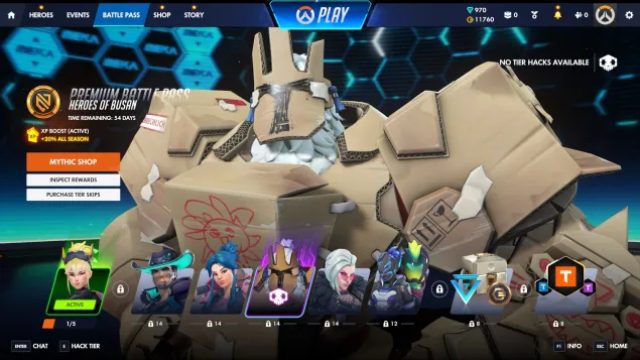
- New battle pass allows swapping unwanted skins.
- Season 4 introduces a multi-track reward system.
- Join millions of players globally, including in Southeast Asia.
Overview of Overwatch
Overwatch is a dynamic team-based multiplayer shooter developed by Blizzard Entertainment. Since its release, it has captivated millions worldwide, including a strong following in Southeast Asia, particularly in nations like Indonesia, where gaming culture flourishes. The game's diverse heroes and engaging gameplay mechanics make it a staple in the online gaming community, and ongoing updates, including major changes to its battle pass system, keep it fresh and exciting for players.
Platform Availability
Overwatch is accessible across various platforms:
- PC: Available on Battle.net
- PlayStation: Download from the PlayStation Store
- Xbox: Accessible via the Xbox Store
- Nintendo Switch: Find it in the Nintendo eShop
Each platform offers unique features and cross-play options, allowing players to team up regardless of their gaming device.
System Requirements
PC Requirements
For optimal performance on PC, ensure your system meets the following specifications:
- Minimum: Intel Core i3 or AMD Phenom X3 8650, 6 GB RAM, NVIDIA GeForce GTX 460 or ATI Radeon HD 6850, 30 GB storage
- Recommended: Intel Core i5 or AMD Phenom II X4, 8 GB RAM, NVIDIA GeForce GTX 660 or AMD Radeon HD 7950
Console Requirements
While consoles do not have traditional system requirements, they do require:
- PlayStation: PS4 or PS5 with a stable internet connection
- Xbox: Xbox One or Xbox Series X/S with online access
- Nintendo Switch: An active Nintendo account and internet connection
How to Download
Downloading on PC
To download Overwatch on PC, follow these steps:
- Visit the Battle.net website.
- Create a Battle.net account if you don't have one.
- Download the Battle.net launcher and install it.
- Log in and search for Overwatch.
- Click on the download button and wait for the installation to complete.
Downloading on PlayStation
For PlayStation users:
- Open the PlayStation Store on your console.
- Search for Overwatch using the search function.
- Select the game and click on the download button.
Downloading on Xbox
For Xbox players:
- Access the XBOX Store from your console.
- Search for Overwatch in the store.
- Select the game and initiate the download.
Downloading on Nintendo Switch
Nintendo Switch users can do the following:
- Open the Nintendo eShop on your device.
- Search for Overwatch in the eShop.
- Choose the game and click download to start.
Conclusion
Downloading Overwatch is a straightforward process, regardless of your gaming platform. By following this guide, you can quickly get started and join the vibrant community of players worldwide. Whether you're in Southeast Asia, including bustling cities like Jakarta, Surabaya, and Bali, or anywhere else, Overwatch promises thrilling gameplay adventures. Dive into the action today!
Latest news
-

Ultimate Guide to Mo
Learn everything you need to know about streaming ...
-
Mobile Game Localiza
Learn why localization is crucial for mobile games...
-
Exploring the Future
Delve into the future of iOS gaming and discover u...
-
Game: FC 26 Season 1
Discover expert insights on game. The final showdo...