Your Essential Guide to Migrating Pokémon: Act Before Time Runs Out
Key Takeaways
- The Pokémon Bank service will cease on February 26, 2027.
- Migrating Pokémon to Home is essential to retain your collection.
- You have almost four years to complete the migration.
- Acting now ensures your Pokémon don't get lost forever.
- Available on Nintendo 3DS and Nintendo Switch platforms.
Understanding the Migration Process
With the impending shutdown of Pokémon Bank, it's vital for trainers to understand how to migrate their Pokémon swiftly and efficiently. Originally launched in 2013 for the Nintendo 3DS, Pokémon Bank allowed players to store and manage their Pokémon collections. However, the transition to Pokémon Home is now necessary to keep your Pokémon safe and accessible in the future.
Platform Availability
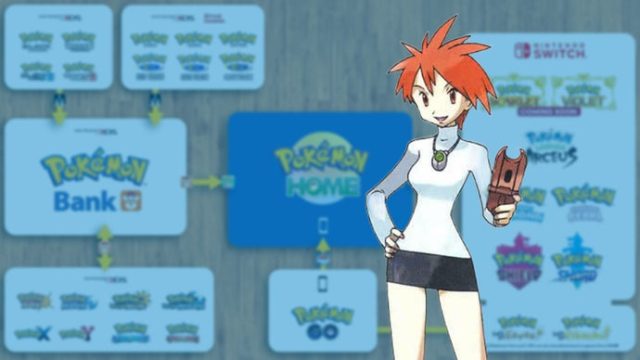
Pokémon Bank is exclusively available on the Nintendo 3DS, while Pokémon Home is accessible on both the Nintendo Switch and mobile devices, making it easier than ever to transfer your Pokémon. The availability across multiple platforms ensures that trainers can migrate their collections seamlessly, whether they are at home or on the go.
System Requirements
For Pokémon Bank
- Nintendo 3DS or 2DS console
- Internet access for login and migration
- Latest firmware updates for optimal performance
For Pokémon Home
- Nintendo Switch or compatible mobile devices (iOS/Android)
- Stable internet connection
- Free or premium subscription to access advanced features
How to Download Pokémon Home
To begin the migration process, you'll first need to download Pokémon Home. Here are the steps to ensure you have it ready:
- On Nintendo Switch: Go to the Nintendo eShop, search for Pokémon Home, and click 'Download.'
- On Mobile: Visit the Apple App Store or Google Play. Search for Pokémon Home and tap 'Install.'
Ensure that your device meets the requirements for a smooth experience. Once downloaded, you can start migrating your Pokémon from Bank.
Step-by-Step Migration Process
Once Pokémon Home is installed, follow these steps to migrate your Pokémon:
- Open Pokémon Home and create or log into your account.
- Select 'Pokémon Bank' from the main menu.
- Follow the on-screen instructions to connect to Pokémon Bank.
- Choose the Pokémon you wish to transfer and initiate the migration.
- Confirm the transfer and wait for the process to complete.
It's important to note that you can only migrate Pokémon that are compatible with your game versions.
Why This Migration Matters Now
The deadline for migrating Pokémon is approaching quickly. With Pokémon Bank shutting down in 2027, trainers from regions like Southeast Asia, including Indonesia, need to act promptly to secure their collections. Missing this chance could result in losing beloved Pokémon, especially for players who have invested countless hours into their games.
For trainers who play mobile games as well, integrating your Pokémon into Pokémon Home allows for easier management and enhanced gameplay experiences across different devices.
Conclusion
The shutdown of Pokémon Bank is a critical moment for trainers everywhere. Understanding the process and acting quickly will ensure that your Pokémon collection remains intact. Keep your devices updated, download Pokémon Home today, and start migrating your cherished Pokémon to avoid losing them forever.
Latest news
-

Mobile Game Awards:
Join us as we celebrate the best mobile games and ...
-
Must-Have Mobile Gam
Check out our list of must-have mobile games for i...
-
Your Complete Guide
Learn how to easily download popular mobile games ...
-
The UAAP has postpon
Discover expert insights on game. The UAAP has pos...