Unlock the Secrets of Project Looking Glass: Your Download Guide
Key Takeaways
- Experience a gripping horror narrative set in the Cold War era.
- Available on iOS and various cross-platform services.
- Minimum system requirements include 8GB RAM and a modern CPU.
- Download easily from official platforms like the App Store and Steam.
- Ideal for fans of horror and psychological thrillers.
Overview of Project Looking Glass
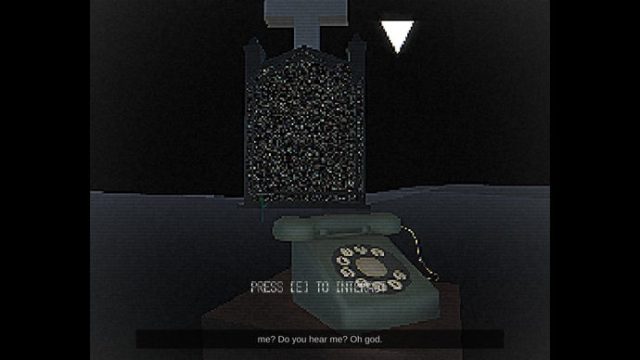
Project Looking Glass transports players into a chilling astral world, where they navigate through the mental landscapes of a grieving woman involved in secretive Cold War experiments. The game blends horror and psychological elements, providing an engaging experience where players can telewarp through haunting memories, piecing together the protagonist's fragmented past. Its distinctive gameplay challenges players to confront both external threats and internal fears.
Platform Availability
Currently, Project Looking Glass is accessible on several platforms, catering to a wide audience. It is available for download on:
- Apple App Store (iOS devices)
- Steam (PC)
- Epic Games Store (PC)
- Other platforms may offer the game in the future, so stay tuned!
System Requirements
Before diving into Project Looking Glass, ensure your device meets the following system requirements:
For iOS:
- Compatible with iOS 13.0 or later.
- Requires at least 2GB of RAM.
- iPhone 6s or newer models recommended for optimal performance.
For PC:
- OS: Windows 10 (64-bit)
- Processor: Intel Core i5 or AMD equivalent
- Memory: 8GB RAM minimum
- Graphics: NVIDIA GeForce GTX 970 or AMD Radeon RX 580
- DirectX: Version 11
- Storage: 15GB available space
How to Download
Downloading Project Looking Glass is a straightforward process. Follow these steps for the platform of your choice:
For iOS Devices:
- Open the Apple App Store on your device.
- Search for "Project Looking Glass" using the search bar.
- Select the game from the search results.
- Tap the download button and wait for it to install on your device.
- Once installed, launch the game and immerse yourself in the story.
For PC (Steam or Epic Games Store):
- Visit the Steam or Epic Games Store.
- Create an account or log in if you already have one.
- Search for "Project Looking Glass" in the store.
- Add it to your cart and proceed to checkout.
- After purchase, the game will begin downloading automatically.
- Once the download is complete, you can start playing.
Conclusion
Project Looking Glass offers a unique blend of horror and psychological storytelling that is both captivating and thought-provoking. With its availability on various platforms and straightforward installation process, players can dive into this immersive experience almost instantly. Don't miss out on exploring the depths of memory and fear in this outstanding game. Download it today and uncover what awaits!
Latest news
-

The Ultimate Guide t
Discover how to download Intel‘s Arc G3 Extreme fo...
-

The Ultimate Guide t
Discover how to download Big Walk, system requirem...
-

Your Ultimate Guide
Explore how to download exciting mobile games on Y...
-

Your Complete Guide
Learn how to download GTA 6 on various platforms. ...