Ultimate Guide to Downloading PUBG: Stay in the Game!
Key Takeaways
- PUBG is available on PC, consoles, and mobile devices.
- System requirements vary by platform; check before downloading.
- Downloading PUBG is straightforward with access to official stores.
- New updates and events keep the game engaging for players.
- PUBG's mobile version is particularly popular in Southeast Asia.
Overview of PUBG
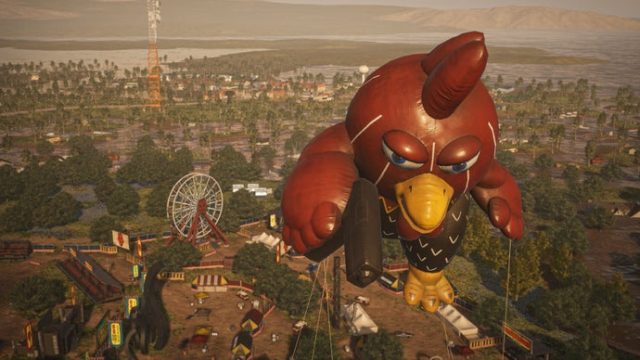
PlayerUnknown's Battlegrounds, commonly known as PUBG, is a battle royale game that has captured the attention of millions worldwide. Developed by PUBG Corporation, a subsidiary of Bluehole Studio, it was first released in 2017 and quickly became a staple in the gaming community. Set on vast maps, players can engage in thrilling combat, strategizing to be the last one standing. Despite competition, PUBG remains a top choice for both casual and competitive gamers.
Platform Availability
PUBG is available across various platforms, ensuring that players can enjoy the game regardless of their preferred gaming setup. The platforms include:
- PC: Available on Steam, with frequent updates and community events.
- Consoles: PlayStation and Xbox versions offer similar gameplay experiences with exclusive content.
- Mobile: PUBG Mobile can be downloaded from the Apple App Store and Google Play Store, optimized for touch controls and mobile performance.
System Requirements
Before downloading PUBG, it’s essential to ensure your system meets the necessary requirements for optimal gameplay. Below are the recommended specs for each platform:
PC Requirements
- OS: Windows 10 64-bit
- Processor: Intel Core i5-4430 / AMD FX-6300
- Memory: 8 GB RAM
- Graphics: NVIDIA GeForce GTX 960 / AMD Radeon R7 370
- DirectX: Version 11
- Network: Broadband Internet connection
- Storage: At least 30 GB of free space
Console Requirements
- PlayStation: PS4 or PS5 with an online account
- Xbox: Xbox One or Xbox Series X/S
Mobile Requirements
- Android: Android 5.1.1 or above with 2 GB RAM
- iOS: iOS 9.0 or above, compatible with iPhone and iPad
How to Download PUBG
Downloading PUBG is a straightforward process, whether you're playing on PC or mobile. Here’s how you can easily get started:
For PC
- Visit the Steam store.
- Search for PUBG or navigate to the PUBG page.
- Click on the “Add to Cart” button.
- Proceed to checkout and purchase the game.
- Once purchased, it will be available in your library for download.
- Click “Install” and wait for the game to download and install.
For Consoles
- Go to the PlayStation Store or Xbox Store.
- Search for PUBG in the store's search bar.
- Select the game from the results.
- Choose “Buy” and confirm your purchase.
- After purchasing, it will start downloading automatically.
For Mobile
- Open the Apple App Store for iOS or Google Play Store for Android.
- Search for “PUBG Mobile.”
- Tap “Download” or “Install” to begin downloading.
- Once installed, open the game and log in.
Conclusion
PUBG continues to be a significant player in the gaming world, captivating audiences across different platforms, especially in regions like Southeast Asia, where mobile gaming flourishes. With straightforward download steps and comprehensive system requirements, players can quickly join the action. Stay updated with the latest events and features to enhance your gaming experience. Dive into the battlegrounds today!
Latest news
-

The Rise of Mobile G
Explore the latest trends and insights in mobile g...
-
Unlocking Mobile Gam
Discover how to download popular mobile games on y...
-

Your Ultimate Guide
Discover how to download the latest mobile games o...
-

How to Download and
Discover how to download and install mobile games ...