Guide to Downloading Quarantine Zone: A Must-Play Adventure
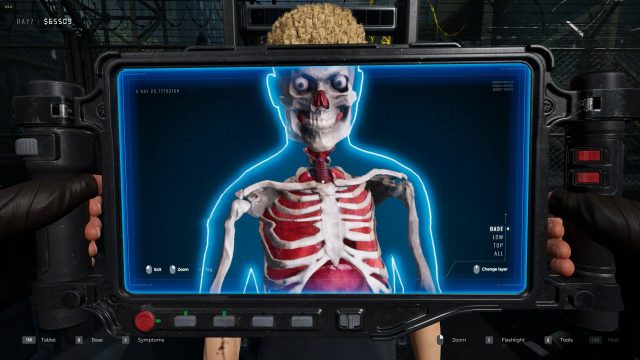
Key Takeaways
- Quarantine Zone blends horror and bureaucracy in a unique gameplay experience.
- Available on both Xbox Game Pass and Steam for easy access.
- System requirements are moderate, making it accessible for most players.
- Follow our detailed installation steps to start playing quickly.
- In Indonesia, this game is gaining popularity, especially in urban areas like Jakarta.
Introduction
Quarantine Zone is an innovative game that merges the gripping themes of survival horror with the everyday challenges of bureaucratic management. Set in a post-apocalyptic world, players must navigate zombie-infested territories while managing resources and making crucial decisions. This game’s unique blend of genres has garnered attention globally, especially in Southeast Asia, where gaming is rapidly evolving. In this guide, we’ll explore how to download Quarantine Zone, the platforms it’s available on, and the essential system requirements needed to enjoy the game without hiccups.
Platform Availability
Quarantine Zone is available on popular gaming platforms, ensuring that players have multiple avenues to access this thrilling game. Here are the main platforms where you can find it:
- Xbox Game Pass: Perfect for subscribers looking to add new titles to their library.
- Steam: A reliable platform for PC gamers, offering robust features and community support.
- PlayStation Store: Check for availability as it may expand to other platforms in the future.
Xbox Game Pass
XBox Game Pass allows subscribers to access a vast library of games, including Quarantine Zone. It offers a cost-effective way to play without purchasing individual titles.
Steam
Steam remains a leading platform for PC gaming, where you can find Quarantine Zone. Its community features enhance the gaming experience, allowing for user reviews and gameplay discussions.
System Requirements
Before jumping into the action, make sure your system meets the requirements for optimal gameplay. Here is what you need:
For Xbox Game Pass
- Console: Xbox One or Xbox Series X/S
- Internet: High-speed internet connection required for downloading and playing online.
For Steam
- OS: Windows 10 or later
- Processor: Intel Core i5 or equivalent
- Memory: 8 GB RAM
- Graphics: NVIDIA GeForce GTX 960 or equivalent
- Storage: 20 GB available space required
How to Download
Downloading Quarantine Zone is straightforward, whether you're using Xbox Game Pass or Steam. Follow these steps for each platform:
Downloading via Xbox Game Pass
- Open the Xbox Game Pass app on your console or PC.
- Search for Quarantine Zone using the search bar.
- Click on the game title from the results.
- Select the 'Install' button to begin downloading the game.
- Once installed, launch the game from your library and start playing!
Downloading via Steam
- Open the Steam client on your computer.
- Log in to your Steam account or create a new one if you don't have an account.
- Use the search feature to find Quarantine Zone.
- Select 'Quarantine Zone' from the search results.
- Click on 'Add to Cart' and proceed to checkout to purchase the game.
- After purchasing, go to your library, locate the game, and click 'Install.'
- Once installation is complete, launch the game and dive into the experience!
Conclusion
Quarantine Zone offers an exciting blend of survival horror and bureaucratic management that is captivating players, especially in the vibrant Southeast Asian gaming market. Whether you choose to play on Xbox Game Pass or Steam, downloading the game is simple and straightforward. With this guide, you can easily install Quarantine Zone and join the ranks of players navigating its thrilling challenges. Get ready to experience a unique gaming adventure that is both engaging and thought-provoking!
Latest news
-

From Steam to Mobile
Discover the best games that have made the leap fr...
-
Cross-Platform Play:
Explore how cross-platform play is revolutionizing...
-
Cross-Platform Gamin
Explore how cross-platform gaming is revolutionizi...
-
The Future of Mobile
Explore the latest trends in mobile gaming for 202...