Your Ultimate Guide to Downloading Rust: Latest Updates & Install Guide
Key Takeaways
- Rust offers an engaging survival experience on multiple platforms.
- Recent updates include new DLCs and gameplay enhancements.
- Installation steps vary by platform but are straightforward.
- Rust is available on PC, PlayStation, and Xbox.
- Stay connected with the vibrant player community and events.
Overview of Rust
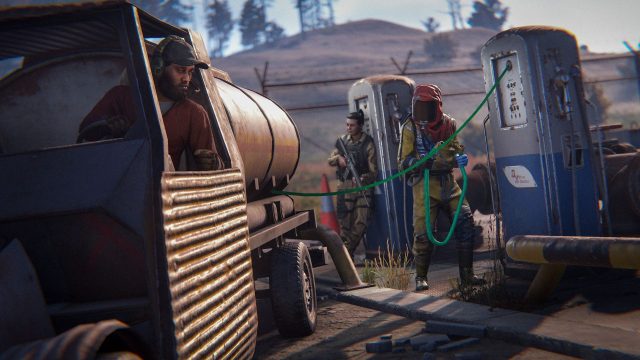
Rust is a thrilling multiplayer survival game that challenges players to survive in a harsh, open-world environment filled with danger. Starting with nothing, players must gather resources, build shelters, and craft weapons to fend off threats, including wildlife and other players. With frequent updates and community-driven events, Rust continues to evolve, attracting gamers worldwide, particularly in regions like Southeast Asia, including Indonesia.
Platform Availability
Rust is available on several platforms, allowing a wide range of players to join the action. Below are the primary platforms where you can find Rust:
- PC: Available via Steam and other digital distribution platforms.
- PlayStation: Download from the PlayStation Store.
- Xbox: Obtain Rust from the Xbox Store.
System Requirements
To enjoy Rust smoothly, ensure your system meets the necessary requirements. Here’s a breakdown by platform:
PC System Requirements
- Minimum:
- OS: Windows 10 64-bit
- Processor: Intel Core i5-2500K / AMD FX-8320
- Memory: 8 GB RAM
- Graphics: NVIDIA GeForce 650 / AMD Radeon HD 7750
- DirectX: Version 11
- Storage: 20 GB available space
- Recommended:
- OS: Windows 10 64-bit
- Processor: Intel Core i7-2700K / AMD Ryzen 5 1600
- Memory: 16 GB RAM
- Graphics: NVIDIA GeForce 750 / AMD Radeon R9 280
- DirectX: Version 11
- Storage: 20 GB available space
Console System Requirements
- PlayStation: PlayStation 4 or PlayStation 5
- Xbox: Xbox One or Xbox Series X/S
How to Download
Downloading Rust is a simple process, whether you're on PC or console. Follow the steps below to get started:
For PC Users
- Visit the Steam Store.
- Create or log into your Steam account.
- Search for “Rust” in the store and select it.
- Click the “Add to Cart” button and complete your purchase.
- Once purchased, the game will be added to your library. Click “Install” to download.
For PlayStation Users
- Open the PlayStation Store.
- Sign in to your account or create a new one.
- Search for “Rust” and select it.
- Purchase the game, and it will download automatically to your console.
For Xbox Users
- Access the Xbox Store.
- Log into your Xbox Live account.
- Search for “Rust” and click on it.
- Complete the purchase and wait for the game to download.
Conclusion
Rust remains a significant player in the survival game genre, continually attracting gamers with its engaging gameplay and regular updates. With its availability on multiple platforms, downloading and diving into this immersive experience has never been easier. Don’t miss out on the latest features and community events—download Rust today and join the adventure!
Latest news
-

Mobile Gaming Etique
Learn the do‘s and don‘ts of mobile gaming etiquet...
-
Your Ultimate Guide
Explore our complete guide on downloading trending...
-
Unlocking the Ultima
Get ready to dive into the world of mobile games! ...
-
Unlock the Action: Y
Discover how to download Halo on PS5 with our step...