Unlocking StarCraft: Your Essential Guide to Downloading the Game
Key Takeaways
- StarCraft is a legendary real-time strategy game developed by Blizzard.
- Nexon is reportedly finalizing a deal to acquire StarCraft's IP rights.
- Available on PC and various platforms for seamless gaming.
- Step-by-step install guide makes accessing the game easy.
- Join millions of players worldwide in epic strategic battles.
Overview of StarCraft
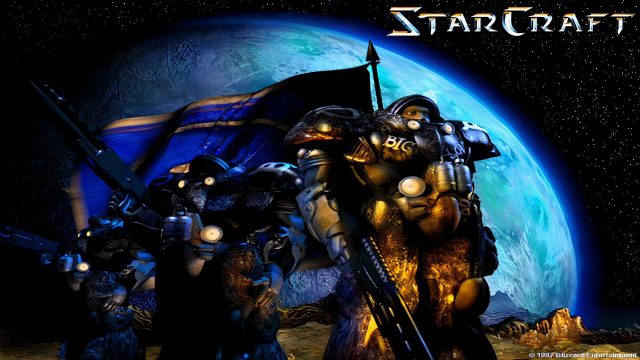
StarCraft, developed by Blizzard Entertainment, is widely regarded as one of the most significant titles in the real-time strategy genre. Originally released in 1998, StarCraft set a new standard for competitive gaming and storytelling in video games. With its intense gameplay and strategic depth, it has remained a favorite among gamers across the globe.
Recently, news has surfaced about Nexon, a major South Korean gaming company, nearing a deal to acquire the IP rights for StarCraft from Blizzard. This potential transition could bring fresh developments and new opportunities for the franchise, particularly in regions like Southeast Asia, including Indonesia.
Platform Availability
StarCraft is available on multiple platforms, ensuring players can enjoy the game regardless of their device preference. Here are the key platforms where you can access StarCraft:
- PC: Available on Blizzard's Battle.net platform.
- Mac: Also accessible via Battle.net for macOS users.
System Requirements
Before diving into the action, it's essential to check if your system meets the necessary requirements for StarCraft. Below are the minimum and recommended specifications:
Minimum Requirements
- OS: Windows 7 / Windows 10 (64-bit) or later
- Processor: Intel Core i3 or equivalent
- Memory: 4 GB RAM
- Graphics: NVIDIA GeForce GTX 460 or AMD Radeon HD 6850
- DirectX: Version 11
- Storage: 30 GB available space
Recommended Requirements
- OS: Windows 10 (64-bit)
- Processor: Intel Core i5 or equivalent
- Memory: 8 GB RAM
- Graphics: NVIDIA GeForce GTX 660 or AMD Radeon HD 7950
- DirectX: Version 11
- Storage: 30 GB available space
How to Download
Getting started with StarCraft is simple, thanks to the user-friendly download process. Follow these steps to download and install the game:
Step 1: Create a Battle.net Account
If you don't already have one, visit the official Battle.net website and click on the 'Sign Up' button to create your account.
Step 2: Download the Battle.net Client
Once your account is set up, download the Battle.net desktop application from the same website. This client is essential for accessing and managing your Blizzard games.
Step 3: Install the Battle.net Client
Open the downloaded file and follow the on-screen instructions to install the Battle.net client on your computer.
Step 4: Log In to Battle.net
After installation, launch the client and log in using the credentials you created in Step 1.
Step 5: Find StarCraft
Inside the Battle.net client, navigate to the games library. Look for StarCraft and click on it to view the download option.
Step 6: Download and Install the Game
Click the 'Install' button to begin downloading StarCraft. Once the download is complete, the game will automatically install on your PC.
Step 7: Play StarCraft!
Once the installation is finished, you can start playing StarCraft right from the Battle.net client. Dive into the world of intergalactic warfare and strategic gameplay!
Conclusion
StarCraft remains a cornerstone of the gaming world, and with Nexon potentially acquiring the IP rights, the future looks promising. Whether you are a seasoned veteran or a newcomer, downloading StarCraft opens the door to an exciting journey filled with strategies, engagements, and unforgettable moments. Follow the steps outlined above to join the ranks of players competing in this timeless classic.
Latest news
-

The Impact of Mobile
Discover how mobile gaming has shaped today‘s gami...
-
Discover the Top Fre
Explore the best free mobile games available for d...
-
How to Enhance Your
Discover essential accessories to enhance your mob...
-
The Evolution of Mob
Explore the fascinating journey of mobile games fr...