Revitalize Your Stardew Valley Experience: Download Guide
Key Takeaways
- Available on multiple platforms including PC, iOS, and Android.
- Unique gameplay mechanics allow for endless creativity.
- System requirements vary by platform; check before downloading.
- Join a vibrant community of gamers eager for new challenges.
- Stay updated with the latest content and expansions.
Overview
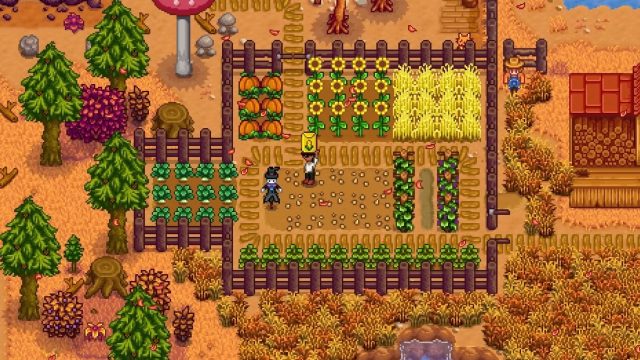
Stardew Valley has taken the gaming community by storm with its charming graphics, engaging gameplay, and a deep sense of nostalgia. This farming simulation game allows players to build their own farms, cultivate crops, raise animals, and engage with the local community. With numerous replayability options, players can explore self-imposed challenges, such as focusing on specific crops or creating unique economic systems. As you navigate through the seasons, each choice impacts your gameplay experience, making it crucial to download and immerse yourself in this captivating world.
Platform Availability
Stardew Valley is accessible across multiple platforms, ensuring players can enjoy the game wherever they are. Here’s where you can find it:
- PC/Mac: Available on Steam, GOG
- PlayStation: Download from the PlayStation Store
- Xbox: Get it on the Xbox Store
- Nintendo Switch: Available on the Nintendo eShop
- iOS: Download it via the Apple App Store
- Android: Available on Google Play
System Requirements
Before you dive into the farming life, ensure your device meets the necessary specifications to enjoy a smooth gaming experience:
PC/Mac Requirements
- Windows: Windows 7 or greater, 2GB RAM, and 500MB storage.
- Mac: macOS 10.10 or later, 2GB RAM, and 500MB storage.
Mobile Requirements
- iOS: Requires iOS 10.0 or later, compatible with iPhone, iPad, and iPod touch.
- Android: Requires Android 4.4 and up with at least 500MB of free space.
How to Download
Downloading Stardew Valley is a straightforward process, but it varies slightly depending on your platform. Here’s a step-by-step guide for each:
For PC via Steam
- Open the Steam client on your PC.
- Search for “Stardew Valley” in the store.
- Click on the game and select “Add to Cart.”
- Proceed to checkout and complete the purchase.
- Once purchased, click “Install” from your library to download.
For PlayStation
- Log into your PlayStation account.
- Navigate to the PlayStation Store.
- Search for “Stardew Valley.”
- Select the game and click on “Buy Now.”
- Download it directly to your console.
For Xbox
- Power on your Xbox console and sign in.
- Go to the Microsoft Store.
- Search for “Stardew Valley.”
- Select it and hit “Purchase.”
- Download the game directly to your console.
For Nintendo Switch
- Open the Nintendo eShop on your console.
- Search for “Stardew Valley.”
- Select the game and click “Purchase.”
- Download it to your Switch.
For iOS
- Open the Apple App Store on your device.
- Search for “Stardew Valley.”
- Select the game and tap “Get.”
- Install and enjoy your farming adventure!
For Android
- Open the Google Play Store on your device.
- Search for “Stardew Valley.”
- Select the game and tap “Install.”
- It will download automatically to your device.
Conclusion
Stardew Valley offers a unique blend of agriculture, adventure, and community that appeals to gamers of all ages. With its availability on various platforms, accessing this beloved title has never been easier. Whether you want to relive your farming dreams or challenge yourself with new gameplay experiences, downloading Stardew Valley will provide countless hours of entertainment. Don’t miss out on the chance to explore the vibrant world of Pelican Town — grab your copy today!
Latest news
-

How to Optimize Your
Learn essential strategies to optimize your mobile...
-
Reviewing the Best G
Explore the best game streaming services available...
-
The Role of Storytel
Uncover the significance of storytelling in mobile...
-
Upcoming Mobile Game
Stay ahead of the game with our list of highly ant...