Dive into Adventure: Your Guide to Downloading Subnautica
Key Takeaways
- Subnautica offers an immersive underwater survival experience.
- Available on multiple platforms, including PC and consoles.
- Ensure your system meets the required specifications for optimal gameplay.
- Follow our step-by-step download instructions for a smooth installation.
- Join millions of players exploring the ocean depths since its early access launch.
Overview of Subnautica
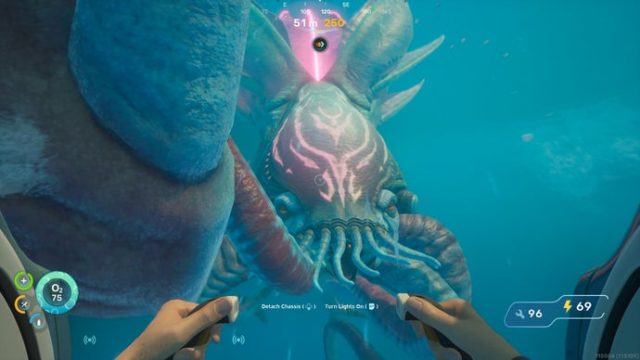
Subnautica is a critically acclaimed survival adventure game set in the vastness of an alien ocean. You play as a lone survivor in a submerged world filled with both beauty and danger. Discover a rich ecosystem teeming with diverse marine life, gather resources, and construct underwater habitats to ensure your survival. The game's captivating visuals and immersive gameplay make it a standout title in the adventure genre.
Platform Availability
Subnautica is available on several platforms, making it accessible to a broad audience:
- PC: Available on Steam and Epic Games Store.
- PlayStation: Playable on PS4 and PS5 via the PlayStation Store.
- Xbox: Compatible with Xbox One and Xbox Series X/S, found on the Xbox Store.
- Nintendo Switch: Available on the Nintendo eShop.
System Requirements
For PC Users
Before downloading, ensure that your system meets the following minimum requirements:
- OS: Windows 10 (64-bit)
- Processor: Intel Core i5 or equivalent
- Memory: 8 GB RAM
- Graphics: NVIDIA GTX 550 or equivalent
- DirectX: Version 11
- Storage: 20 GB available space
For Consoles
Check the specifications of your console to ensure compatibility, though modern consoles typically meet the game's requirements.
How to Download Subnautica
Follow these steps based on your preferred platform to successfully download Subnautica:
For PC on Steam
- Open Steam on your computer.
- Search for “Subnautica” in the store.
- Select the game from the list and click on “Add to Cart.”
- Proceed to checkout and complete your purchase.
- Once purchased, go to your library, find Subnautica, and click “Install.”
For PC on Epic Games Store
- Launch the Epic Games Store application.
- Use the search bar to find “Subnautica.”
- Add it to your cart and complete your purchase.
- Navigate to your library and click on the game to install it.
For PlayStation
- Open the PlayStation Store from your console.
- Search for “Subnautica” in the store.
- Select it and click on “Buy Now” to purchase.
- Download the game directly to your console after the purchase.
For Xbox
- Access the Xbox Store on your console.
- Search for “Subnautica.”
- Select the game and click “Buy” to purchase.
- Download it from your library once the purchase is complete.
For Nintendo Switch
- Open the Nintendo eShop on your Switch.
- Search for “Subnautica.”
- Select the game and click “Purchase.”
- Download it through your home screen once it's bought.
Conclusion
Subnautica invites players into an expansive oceanic world filled with exploration and survival challenges. With its availability across multiple platforms and engaging gameplay, now is an ideal time to dive into this underwater adventure. By following this guide, you can seamlessly download and install Subnautica, embarking on a journey like no other. Whether you’re navigating the depths solo or exploring with friends, the ocean awaits!
Latest news
-

Mobile Gaming and th
Explore how mobile gaming and streaming platforms ...
-
Top Strategies for W
Discover top strategies and tips for dominating in...
-
Your Ultimate Guide
Learn how to download Zeus Ancient Fortunes Slot w...
-
Data digest: Skillz
Discover expert insights on game. The iOS and cros...