Ultimate Game Download Guide for Super Smash Bros.
Key Takeaways
- Super Smash Bros. Ultimate is available exclusively for Nintendo Switch.
- Latest patch focuses on fixing online battle data issues.
- Players can expect regular updates enhancing gameplay stability.
- Access the game via the Nintendo eShop for straightforward download.
- Stay updated with community insights following recent patch changes.
Game Overview
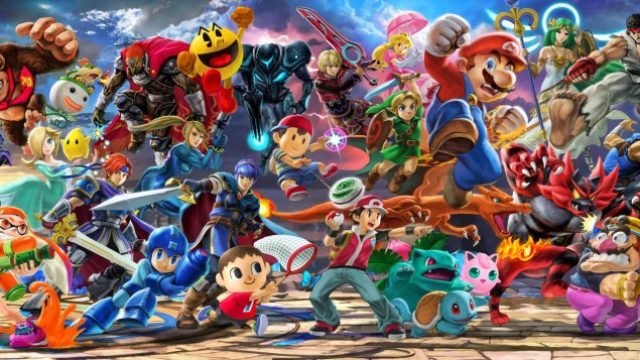
Super Smash Bros. Ultimate is an exhilarating crossover fighting game developed specifically for the Nintendo Switch. Celebrated for its expansive roster of characters from various franchises, the game allows players to engage in dynamic multiplayer battles. With a commitment to delivering an exciting experience, Ultimate continuously evolves, receiving updates that enhance gameplay mechanics and offer new features. Its appeal extends across regions, particularly in Southeast Asia, where demand for immersive multiplayer experiences is soaring.
Platform Availability
This game is exclusively available on the Nintendo Switch, making it a must-have for fans of the franchise and newcomers alike. Players can easily find and download it through the Nintendo eShop, ensuring access to all the latest features and updates directly from the official source.
System Requirements
While Super Smash Bros. Ultimate does not have traditional system requirements like PC games, it is crucial to have a Nintendo Switch console with sufficient storage space. The game requires approximately 16 GB of storage. Additionally, a stable internet connection is recommended for online play and receiving updates.
How to Download
Downloading Super Smash Bros. Ultimate is a straightforward process. Follow these steps to ensure you can join the thrilling battles right away:
Step 1: Access the Nintendo eShop
Turn on your Nintendo Switch and navigate to the Nintendo eShop from the main menu. Ensure you are connected to the internet.
Step 2: Search for the Game
In the eShop, use the search function to find "Super Smash Bros. Ultimate". You can simply type the title into the search bar for quick access.
Step 3: Select the Game
Once you find the game in the search results, click on it to access the game’s page. Here, you'll find details about the game, including its price and latest updates.
Step 4: Purchase and Download
If you haven’t purchased the game yet, follow the prompts to complete your purchase. After that, click on the download button. If you already own the game, the download option will allow you to install any updates automatically.
Step 5: Install and Play
After the download is complete, the game will install automatically. Once installed, you can find it on your home screen. Launch the game and dive into the action!
Conclusion
Super Smash Bros. Ultimate continues to captivate players with its robust gaming mechanics and extensive character lineup. By following this guide, you can download and install the game seamlessly, ensuring you are ready to join the thrilling battles. With regular updates and a vibrant gaming community, now is the perfect time to jump into this iconic game. Don’t miss out on the action - download your copy today!
Latest news
-

Discover the Top Fre
Explore the best free mobile games available for d...
-
The Evolution of Mob
Explore the fascinating journey of mobile games fr...
-

Your Comprehensive G
Learn how to download trending mobile games with o...
-
Unlock Your Next Adv
Discover how to download the latest mobile games s...