Explore the New Central Park DLC for The Division 2: Your Ultimate Guide
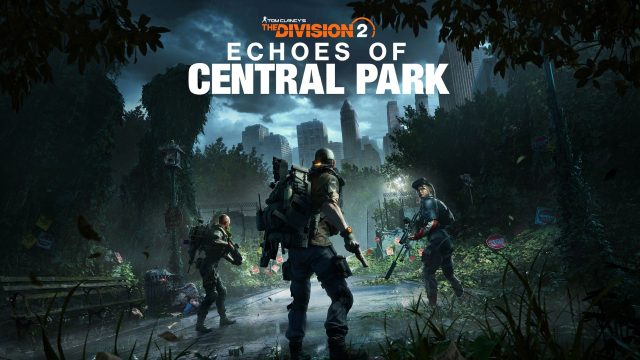
Overview of The Division 2's Central Park DLC
The Division 2 continues to expand its universe with the Echoes of Central Park DLC, allowing players to immerse themselves in a new environment with fresh challenges. Central Park, a location rich in history and beauty, serves as the backdrop for new missions and gameplay experiences. This DLC not only enhances the storyline but also introduces unique gameplay mechanics that diversify the player experience, making it a must-download for enthusiasts of the franchise.
Platform Availability
The Central Park DLC for The Division 2 is available on multiple platforms, ensuring that players across various systems can partake in the adventure. Here’s where you can find it:
- PC: Available via Steam and Epic Games Store.
- PlayStation: Download from the PlayStation Store.
- Xbox: Available on the Xbox Store.
System Requirements
Before downloading the Central Park DLC, ensure that your system meets the necessary requirements for optimal gameplay. Here are the minimum and recommended specifications:
Minimum Requirements
- OS: Windows 7 (64-bit) or later
- Processor: Intel Core i5-2400 / AMD FX-6100
- Memory: 8 GB RAM
- Graphics: NVIDIA GeForce GTX 660 / AMD Radeon HD 7970
- DirectX: Version 11
- Network: Broadband Internet connection
- Storage: 40 GB available space
Recommended Requirements
- OS: Windows 10 (64-bit)
- Processor: Intel Core i7-3770 / AMD FX-8350
- Memory: 8 GB RAM
- Graphics: NVIDIA GeForce GTX 970 / AMD Radeon R9 290
- DirectX: Version 11
- Network: Broadband Internet connection
- Storage: 40 GB available space
How to Download the Central Park DLC
Downloading the Central Park DLC for The Division 2 is a straightforward process. Here’s how you can do it across various platforms:
For PC Users:
- Open the Steam or Epic Games Store.
- Log into your account or create a new one.
- Search for The Division 2 in the store.
- Select the Central Park DLC from the add-ons section.
- Add it to your cart and proceed to checkout.
- Once purchased, the DLC will automatically download and install.
For Console Users:
- Power on your console (PlayStation or Xbox).
- Navigating to the respective Store (PlayStation Store or Xbox Store).
- Search for The Division 2.
- Locate the Central Park DLC in the add-ons.
- Purchase the DLC to start the download.
Key Takeaways
- The Central Park DLC enriches The Division 2’s gaming experience.
- Available on PC, PlayStation, and Xbox platforms.
- Ensure your system meets the game’s requirements for smooth performance.
- Follow straightforward steps to install the DLC.
- This expansion is essential for fans of the franchise.
Frequently Asked Questions
What is the Central Park DLC about?
The Central Park DLC introduces new missions and gameplay mechanics, allowing players to explore a redesigned Central Park.
Can I play the Central Park DLC without the base game?
No, you must own The Division 2 to access the Central Park DLC.
Is there a cost associated with the Central Park DLC?
Yes, the DLC is a paid add-on available for purchase through official platforms.
Will this DLC be available on mobile devices?
No, The Division 2 and its DLC are only available on PC and consoles.
What are the gameplay improvements in the Central Park DLC?
The DLC features enhanced missions, new gear, and settings that enrich the overall gameplay experience.
Latest news
-

Your Ultimate Guide
Explore how to download classic mobile games on iO...
-
The Pros and Cons of
Explore the pros and cons of mobile gaming in 2023...
-

The Ultimate Guide t
Learn how to download Star Wars Zero Company today...
-

Your Ultimate Guide
Discover how to download and install GTA 6 on vari...