Top Strategy Games for PS1: A Fun Journey from the Start
Key Takeaways
- PS1 offers a variety of engaging strategy games.
- Downloading games has never been easier with official platforms.
- Popular titles provide instant fun and strategic depth.
- Explore games popular in Southeast Asia, like Indonesia.
- Access games through official stores for a safe experience.
Overview of PS1 Strategy Games
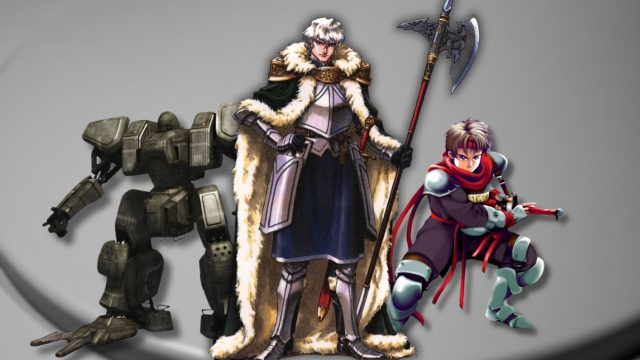
The PlayStation 1 (PS1) is renowned for its diverse gaming library, including memorable strategy games that have captivated players since the late 1990s. These games, such as Final Fantasy Tactics and Tactics Ogre, combine engaging narratives with strategic gameplay, making them an unforgettable experience. As nostalgia for retro gaming rises, now is the perfect time to explore these classics.
In 2023, players are returning to the roots of gaming, especially in the Southeast Asian market, where PS1 titles remain beloved. The accessibility of games via modern platforms has made it easier than ever to dive into these nostalgic adventures. Whether you’re in Jakarta, Surabaya, or Bali, these games are just a click away.
Platform Availability
PS1 games can be accessed on various platforms today, including:
- PlayStation Store: Many PS1 classics are available for purchase and download.
- PlayStation 3: Offers backward compatibility for a range of PS1 games.
- PlayStation Vita: Enjoy PS1 games on the go.
- PC Emulators: For those seeking to experience PS1 games on their computers, several emulators can replicate the gaming experience.
System Requirements
If you're considering using emulators, ensure your PC meets the following minimum system requirements:
- Processor: 2.0 GHz dual-core CPU
- RAM: 2 GB
- Graphics: DirectX 9 compatible graphics card
- Storage: At least 1 GB of free space
- OS: Windows 7 or higher
How to Download
Official PlayStation Store
The most straightforward method of obtaining PS1 strategy games is through the PlayStation Store. Simply follow these steps:
- Open your PlayStation console or access the PlayStation Store via your PC.
- Search for specific PS1 titles like Final Fantasy Tactics.
- Select the game and choose the download option.
- Follow the prompts to complete your purchase and download.
- Once downloaded, you can enjoy the game directly from your library.
Using Emulators on PC
If you prefer playing on a computer, here’s how to set up a PS1 emulator:
- Download a reliable PS1 emulator, such as ePSXe or PCSX-Reloaded.
- Install the emulator on your PC following provided instructions.
- Obtain PS1 game ISO files legally through purchase or backup from your original discs.
- Load the ISO file using the emulator.
- Enjoy your game with enhanced graphics and performance features.
Conclusion
As gaming enthusiasts dive back into retro experiences, PS1 strategy games offer a perfect blend of nostalgia and strategic challenge. With multiple platforms available for downloading and playing these classics, there has never been a better time to revisit or discover these engaging titles. By following the steps outlined above, you can easily enhance your gaming library and enjoy timeless strategies that have stood the test of time.
Frequently Asked Questions
What is the best way to access PS1 strategy games?
The best way is through the PlayStation Store, available on both consoles and PCs.
Can I play PS1 games on modern consoles?
Yes, many PS1 games are available on the PlayStation Store for PS3 and PS4.
Are there legal ways to play PS1 games on PC?
Yes, you can use emulators along with legally obtained ISO files from your own game discs.
How popular are PS1 games in Southeast Asia?
PS1 games remain highly popular in Southeast Asia, particularly in markets like Indonesia.
What should I know about system requirements for emulators?
Ensure you meet the minimum requirements, such as a compatible CPU, RAM, and graphics card.
Latest news
-

The Top Mobile Game
Explore the top mobile game genres that dominate t...
-
Essential Tips for M
Enhance your mobile gaming skills with essential t...
-
5 Must-Try Mobile Ga
Looking for casual games to enjoy on the go? Disco...
-
Navigating the Excit
Discover how to download the latest mobile games e...