The Ultimate Guide to Downloading Transport Fever 3
Key Takeaways
- Transport Fever 3 combines city-building with transport simulation.
- Available on PC through Steam and Epic Games Store.
- System requirements vary by platform; check before downloading.
- Installation process is straightforward and quick.
- Enjoy enhanced graphics and gameplay features over its predecessor.
Overview of Transport Fever 3
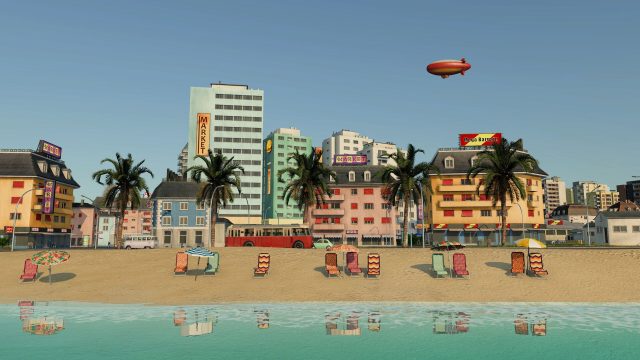
Transport Fever 3 brings an exhilarating twist to the simulation genre, allowing players to manage and expand their own transport networks. This third installment introduces features and improvements that enhance user experience and graphics, setting new standards for city-building games. With its engaging gameplay, it quickly becomes a fan favorite among strategy enthusiasts.
Platform Availability
Transport Fever 3 is primarily available on PC, with options to download through major platforms such as:
As of now, there are no announced releases for consoles like PlayStation or Xbox, but fans are hopeful for future availability on those platforms.
System Requirements
Before diving into the game, ensure that your system meets the necessary requirements. This not only enhances performance but also ensures a seamless experience. Here are the system requirements for Transport Fever 3:
Minimum Requirements
- OS: Windows 10 (64-bit) or newer
- Processor: Intel Core i5 or equivalent
- Memory: 8 GB RAM
- Graphics: NVIDIA GeForce GTX 660 or AMD Radeon HD 7850
- DirectX: Version 11
- Storage: 10 GB available space
Recommended Requirements
- OS: Windows 10 (64-bit) or newer
- Processor: Intel Core i7 or equivalent
- Memory: 16 GB RAM
- Graphics: NVIDIA GeForce GTX 1060 or AMD Radeon RX 580
- DirectX: Version 11
- Storage: 10 GB available space
These specifications will help you enjoy the game with high-quality graphics and smooth gameplay. If you’re playing on a lower-end system, consider adjusting the settings in-game for optimal performance.
Download Transport Fever 3
Ready to start building your transport empire? Downloading Transport Fever 3 is easy! Follow these steps to get started:
For PC via Steam
- Open the Steam client on your PC. If you don’t have it, download it from Steam's official website.
- Log in to your Steam account or create a new one.
- Use the search bar to find “Transport Fever 3.”
- Click on the game, then select “Add to Cart.”
- Proceed to checkout and complete your purchase.
- Once purchased, the game will be available in your library. Click “Install” to start downloading.
For PC via Epic Games Store
- Open the Epic Games Launcher. Download it from Epic's official site if needed.
- Log into your Epic Games account or create a new one.
- Search for “Transport Fever 3” using the search feature.
- Select the game and click on “Get.”
- Complete the checkout process, then click “Library.”
- Click “Install” next to Transport Fever 3 to start the download.
Conclusion
Transport Fever 3 is an exciting addition to the simulation genre, and its enhancements over previous installments make it a must-play. With easy download options available on Steam and the Epic Games Store, you can quickly immerse yourself in this captivating world. Make sure your system meets the requirements, and get ready to construct your transport empire today!
Latest news
-

Is Mobile Gaming the
Discover expert opinions on the future of mobile g...
-
The Best Game Genres
Discover the best game genres to explore on mobile...
-

Your Complete Guide
Learn how to download mobile games across various ...
-

Your Essential Guide
Learn how to download Video Exo Heart Attack and e...