Unlock the Horror: How to Download Halloween: The Game
Key Takeaways
- Halloween: The Game is currently available on select platforms.
- System requirements vary by device and platform.
- Follow our step-by-step guide for smooth installation.
- Strict censorship rules mean limited availability in some regions.
- Find official download links to avoid third-party risks.
Overview of Halloween: The Game
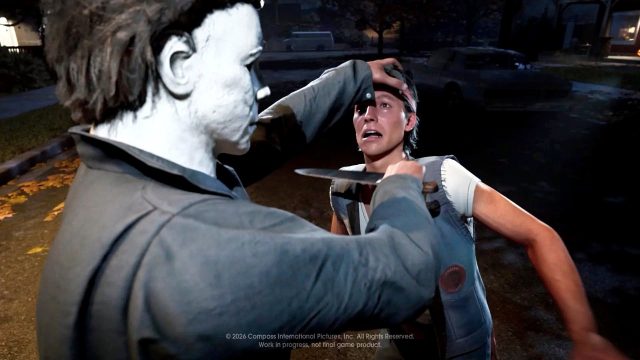
Halloween: The Game invites players into a terrifying world filled with suspense, horror, and immersive gameplay. Set against the backdrop of the iconic Halloween season, this game challenges players to navigate through various challenges while facing off against menacing foes. Although it is designed to provide an exhilarating gaming experience, it has recently faced controversy in regions like Japan due to strict censorship regulations on content deemed too graphic or inappropriate.
Platform Availability
Halloween: The Game is available on several platforms, allowing players across different devices to dive into the horror-filled action. Here’s where you can find the game:
- PlayStation: Unfortunately, due to strict censorship, the game has been banned in Japan, limiting its availability. However, it remains accessible in other regions.
- PC: Available on Steam. This platform frequently updates its library, and you can find Halloween: The Game by searching directly on the Steam Store.
- Mobile Devices: Users can download the game from the Apple App Store or Google Play Store, making it accessible for on-the-go gaming.
System Requirements
Before downloading Halloween: The Game, it’s crucial to ensure your device meets the necessary requirements for optimal performance:
For PC Users:
- OS: Windows 10 or later
- Processor: Intel Core i5 or equivalent
- Memory: 8 GB RAM
- Graphics: NVIDIA GTX 760 or equivalent
- DirectX: Version 11
- Storage: Minimum of 20 GB free space
For Mobile Devices:
- iOS: Requires iOS 12.0 or later.
- Android: Requires Android 6.0 and up.
How to Download Halloween: The Game
Downloading Halloween: The Game is straightforward if you follow these steps depending on your platform:
For Steam Users:
- Open your Steam client or visit the Steam Store in your browser.
- Search for Halloween: The Game.
- Add it to your cart and complete the purchase.
- Once purchased, it will appear in your library for installation.
- Click on the game title in your library and select Install.
For PlayStation Users:
Since the game is unavailable in Japan, users in other regions can follow these steps:
- Access the PlayStation Store from your console or browser.
- Search for Halloween: The Game.
- Purchase and download the game directly to your console.
For Mobile Users:
To download on your mobile device, follow these instructions:
- iOS: Open the Apple App Store, search for Halloween: The Game, and click download.
- Android: Visit the Google Play Store, search for Halloween: The Game, and tap install.
Conclusion
Halloween: The Game is an exciting addition to the horror genre, but its controversial nature has led to varying availability across platforms and regions. Ensure your device meets the specified system requirements and follow our detailed download instructions for a seamless experience. Immerse yourself in the horror today and embrace the thrill that awaits!
Latest news
-

The Evolution of Mob
Explore the evolution of mobile gaming and how it ...
-
Mobile vs. Console:
Explore the differences between mobile and console...
-
Why Choose Mobile Ga
Unveil the advantages of mobile gaming and why it’...
-
Your Ultimate Guide
Explore how to download Pokémon Unite, check syste...