Essential Guide to Downloading Villagers & Heroes for Your Device
Key Takeaways
- Available on multiple platforms: iOS, Android, PC.
- Requires specific system capabilities for optimal performance.
- Easy installation process with official store links.
- Engaging multiplayer experience set in an enchanting world.
- Regular updates enhance gameplay and player experience.
Overview of Villagers & Heroes
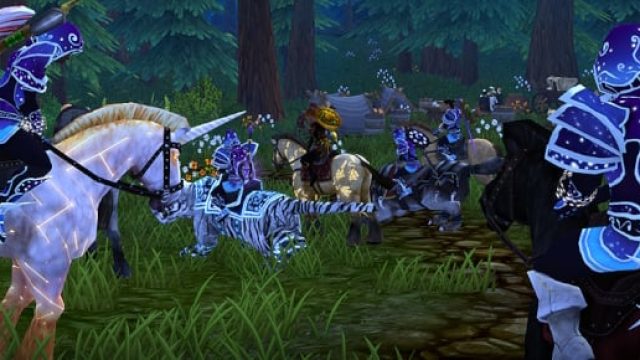
Villagers & Heroes is a captivating multiplayer online role-playing game that invites players into a vibrant world filled with adventure and community building. The game allows users to create their own characters, engage in various quests, and collaborate with other players to build a thriving village. With the latest updates, including improved targeting options and enhanced nameplates, players can enjoy a smoother gaming experience.
Platform Availability
This game is available on a variety of platforms, making it accessible for a wider audience:
- iOS: Available for download on the Apple App Store.
- Android: Can be installed through the Google Play Store.
- PC: Playable on platforms like Steam and the official website.
- Mac: Download through compatible PC platforms or direct from the game's website.
System Requirements
To ensure a seamless gaming experience, it's essential to meet the following system requirements:
For iOS Users
- Requires iOS 12.0 or later.
- Compatible with iPhone, iPad, and iPod touch.
- At least 2 GB of RAM recommended for optimal performance.
For Android Users
- Requires Android 5.0 and up.
- At least 2 GB of RAM recommended.
- Device with a minimum screen resolution of 720p.
For PC Users
- Windows 10 or later with at least 4 GB of RAM.
- Intel Core i3 or equivalent processor.
- DirectX 11 compatible graphics card.
How to Download
Follow these simple steps to download Villagers & Heroes on your preferred device:
For iOS
- Open the Apple App Store.
- Search for “Villagers & Heroes” in the search bar.
- Select the game from the search results.
- Tap on “Get” to download and install the game.
For Android
- Open the Google Play Store.
- Use the search bar to find “Villagers & Heroes.”
- Choose the game from the list.
- Click “Install” to begin the download process.
For PC
- Visit the Steam store or the official game site.
- Search for “Villagers & Heroes.”
- Select the game and click “Add to Cart.”
- Proceed to checkout and download it once purchased.
Conclusion
With its unique blend of community building and adventurous gameplay, Villagers & Heroes stands out in the mobile gaming world. By following the steps outlined in this guide, you can easily download the game on your preferred platform and start your journey. Regular updates ensure a continuously engaging experience, making this game a worthwhile addition to your collection.
Latest news
-

The Future of Augmen
Discover the future of augmented reality games on ...
-
Mobile Gaming Market
Get insights into the latest mobile gaming market ...
-
Epic Games Store rel
Discover expert insights on game. The iOS and cros...
-

Unlock Exciting Mobi
Explore how to download the best mobile games on i...