Your Ultimate Guide to Downloading Wardogs on Steam
Key Takeaways
- Wardogs is currently in early access on Steam.
- The game supports up to 100 players in tactical battles.
- Download directly from the official Steam platform.
- Check system requirements to ensure optimal gameplay.
- Available for gaming enthusiasts in Southeast Asia, including Indonesia.
Overview of Wardogs
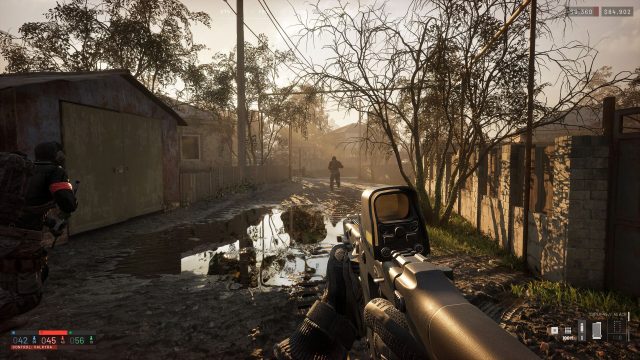
Wardogs is an exciting tactical first-person shooter that has captured the attention of gamers, particularly within the Southeast Asian community. With its unique approach to gameplay, it supports up to 100 players in intense matches where strategy and teamwork become essential. Initially launched in early access, the game has been designed to attract both seasoned FPS veterans and newcomers to the genre.
Platform Availability
The game is exclusively available on the Steam platform. As it continues to develop, players can expect regular updates and new features that enhance the gaming experience. If you're considering downloading Wardogs, make sure to create or log into your Steam account.
System Requirements
Minimum Requirements
- OS: Windows 10 (64-bit)
- Processor: Intel Core i5-2400 / AMD FX-6300
- Memory: 8 GB RAM
- Graphics: NVIDIA GeForce GTX 660 / AMD Radeon HD 7870
- DirectX: Version 11
- Network: Broadband Internet connection
Recommended Requirements
- OS: Windows 10 (64-bit)
- Processor: Intel Core i7-3770 / AMD Ryzen 5
- Memory: 16 GB RAM
- Graphics: NVIDIA GeForce GTX 970 / AMD Radeon RX 580
- DirectX: Version 11
- Network: Broadband Internet connection
These specifications ensure that players experience smooth and immersive gameplay. For those in areas like Jakarta, Surabaya, and Bali, confirming your hardware meets these requirements will significantly enhance your gaming sessions.
How to Download Wardogs
Downloading Wardogs is straightforward. Follow these steps to get started:
- Create a Steam Account: If you don't already have a Steam account, visit the official Steam website to register.
- Install Steam Client: Download and install the Steam client on your PC from the official page.
- Search for Wardogs: Use the search bar in the Steam client to find Wardogs.
- Add to Library: Click on 'Add to Library' to get the game. If it's free or you have purchased it, it will start downloading automatically.
- Launch the Game: Once the download is complete, navigate to your library, select Wardogs, and hit 'Play' to start your adventure.
As you embark on your journey in Wardogs, remember to stay updated on the game’s community forums for tips and strategies shared by fellow players.
Frequently Asked Questions
What is Wardogs about?
Wardogs is a tactical FPS where players engage in 100-player matches emphasizing strategy and teamwork.
Is Wardogs free to play?
The game may have a free-to-play model, check the Steam store for the latest pricing information.
Can I play Wardogs on other platforms?
Currently, Wardogs is exclusively available on Steam. There are no announcements for other platforms yet.
What are the benefits of playing in early access?
Players can experience new content and provide feedback to developers, helping shape the game's future.
Are there any community events for Wardogs?
Yes, the developers frequently organize community events and contests. Keep an eye on official channels for updates.
Latest news
-

Upcoming Mobile Game
Stay ahead of the curve with the latest mobile gam...
-
The Evolution of Mob
Discover the latest trends in mobile game genres. ...
-

Your Complete Guide
Explore how to download the latest mobile games ac...
-
Your Ultimate Guide
Discover how to download FC 26 on various platform...