Your Ultimate Guide to Downloading Warhammer 40,000: Battlesector
Key Takeaways
- Available on Steam and other major digital platforms.
- Recommended system requirements enhance gameplay experience.
- Installation process is straightforward across devices.
- New content and updates keep the game fresh and engaging.
- Connect with the vibrant Warhammer community for tips.
Overview
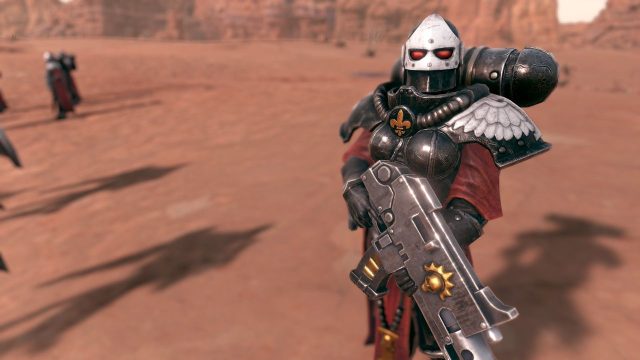
Warhammer 40,000: Battlesector is a highly strategic turn-based game set in the iconic Warhammer Universe. Developed by Black Lab Games, this title immerses players in thrilling battles between the Space Marines and Tyranids. With a roadmap for future expansions, including new narrative DLC, it’s an exciting time to join the action. The engaging gameplay and rich lore make it a must-play for both fans and newcomers.
Platform Availability
This game is accessible on multiple platforms, ensuring that players can enjoy it on their preferred device. Here’s where you can find Warhammer 40,000: Battlesector:
System Requirements
To ensure an optimal gaming experience, it’s crucial to meet or exceed the system requirements. Here are the specifics:
Minimum Requirements
- OS: Windows 10 64-bit
- Processor: Intel Core i3 or AMD equivalent
- Memory: 8 GB RAM
- Graphics: NVIDIA GeForce GTX 750 or AMD Radeon HD 7850
- DirectX: Version 11
- Storage: 20 GB available space
Recommended Requirements
- OS: Windows 10 64-bit
- Processor: Intel Core i5 or AMD equivalent
- Memory: 16 GB RAM
- Graphics: NVIDIA GeForce GTX 970 or AMD Radeon RX 570
- DirectX: Version 11
- Storage: 20 GB available space
How to Download
Downloading Warhammer 40,000: Battlesector is straightforward. Follow these steps based on your chosen platform:
For Steam Users
- Open the Steam client or visit the Steam store.
- Search for Warhammer 40,000: Battlesector.
- Click on the 'Add to Cart' option.
- Proceed to checkout and complete your purchase.
- Once purchased, the game will be added to your library. Click 'Install' to download the game.
For Epic Games Store
- Open the Epic Games Launcher or navigate to the Epic Games Store.
- Search for Warhammer 40,000: Battlesector.
- Click on 'Get' to purchase it.
- Once you have it, you can install it directly from your library.
For GOG Users
- Visit the GOG site.
- Search for the game and click on 'Buy'.
- Complete the payment process.
- After purchase, download the GOG Galaxy client to manage your library.
- Install the game directly from the client or from the website.
Why This Matters Now
As of October 2023, Warhammer 40,000: Battlesector remains a key player in the strategy gaming community. With its continual updates and expansions, players are encouraged to dive into the game now to experience new content and features that enhance gameplay. The ongoing support from developers shows a commitment to long-term engagement with its player base, making it an ideal time to join in.
Conclusion
Downloading and playing Warhammer 40,000: Battlesector opens up a world of strategic depth and thrilling battles. With multiple platforms available, clear system requirements, and a straightforward installation process, it’s easy for anyone to get started. Whether you’re a seasoned veteran or a newcomer, now is the perfect time to experience this game and join the ranks of fellow strategists!
Latest news
-

The Best Cross-Platf
Discover the best cross-platform mobile games of 2...
-
Mobile Gaming Trends
Stay ahead of the curve with the latest mobile gam...
-
The Best Mobile Game
Catch up with the best mobile game releases of 202...
-
Top 10 Mobile Games
Explore the top 10 mobile games to download this a...