Your Ultimate Guide to Downloading Witcher 3 Mod: The WAR Project
Overview
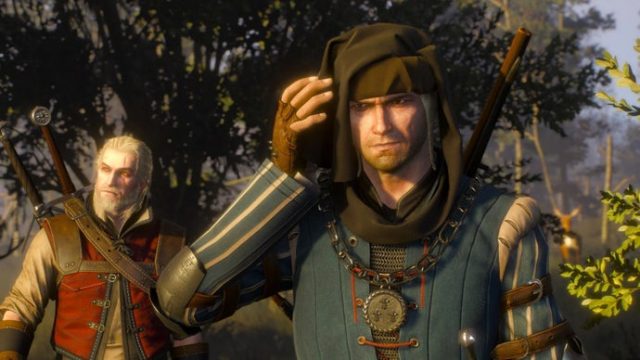
The Witcher 3: Wild Hunt has captivated players with its rich storytelling and immersive world. The WAR Project is an ambitious mod aiming to restore cut content, including new voice lines for the beloved character Vernon Roche. With a focus on enhancing narrative depth, this mod is perfect for fans eager to explore more of Geralt's adventures.
Platform Availability
The WAR Project mod can be accessed through various modding platforms, primarily focusing on Nexus Mods and other recognized communities where mod support for The Witcher 3 thrives. Ensure your game is running on PC as mods typically aren’t supported on consoles like PlayStation or Xbox due to platform restrictions.
System Requirements
To ensure a smooth modding experience, verify that your system meets the following requirements:
- OS: Windows 7 or later
- Processor: Intel Core i5-2500K or AMD Phenom II X4 940
- Memory: 6 GB RAM
- Graphics: NVIDIA GeForce GTX 660 or AMD Radeon HD 7870
- DirectX: Version 11
- Storage: At least 35 GB of free space
How to Download
Follow these steps to download and install The WAR Project mod:
- Navigate to Nexus Mods and create a free account if you don’t have one.
- Search for “The WAR Project” in the Witcher 3 mods section.
- Click on the mod to view its page for details and download options.
- Download the mod file, ensuring you select the latest version for compatibility.
- Extract the contents of the downloaded file using software like WinRAR or 7-Zip.
- Copy the mod files into the "Mods" folder within your Witcher 3 installation directory (usually found in C:\Program Files (x86)\Steam\steamapps\common\The Witcher 3). If no Mods folder exists, create one.
- Launch the game to see the new content in action.
Why This Matters Now
With the recent news of a recasting for Vernon Roche due to serious misconduct allegations, The WAR Project has become even more relevant. Fans are excited about the fresh direction and voice this mod will bring to the game, making it a perfect time to dive back into the Witcher universe.
Key Takeaways
- The WAR Project mod focuses on restoring cut content in The Witcher 3.
- Available primarily through Nexus Mods for PC users.
- Ensure your system meets the necessary requirements for smooth installation.
- Follow straightforward steps for downloading and installation.
- The mod is gaining attention due to recent developments in casting.
Frequently Asked Questions
What is The WAR Project mod?
The WAR Project is a fan-made mod for The Witcher 3 that aims to restore cut quest content and add new voice lines for characters such as Vernon Roche.
Where can I download The WAR Project?
You can download The WAR Project from Nexus Mods, a popular site for game mods.
Do I need a special version of Witcher 3 to use this mod?
No, but you should ensure your Witcher 3 is updated to the latest version to avoid compatibility issues.
Is The WAR Project available for console users?
No, this mod is currently only available for PC users. Console platforms typically restrict mod usage.
How will the recasting affect the mod?
The recasting of Vernon Roche is expected to enhance the mod's narrative with fresh performances, keeping the content exciting for fans.
Latest news
-

Your Ultimate Guide
Discover how to easily download and install the la...
-
Unlock the Adventure
Discover how to download Fire Emblem: Fortune‘s We...
-

Essential Guide to D
Get ready to dive into Fortnite Chapter 7 Season 4...
-

Exciting Kingdom Hea
Get ready for Kingdom Hearts 4! Learn about its re...