The Ultimate Guide to Downloading Old School RuneScape Today
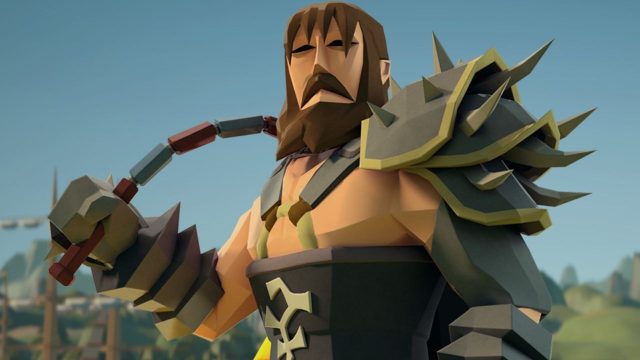
Key Takeaways
- Old School RuneScape is available on multiple platforms.
- The game features classic gameplay from 2007.
- It has recently set new subscriber records.
- Available on iOS, Android, and PC platforms.
- Easy installation process from official stores.
Overview of Old School RuneScape
Old School RuneScape (OSRS) is a massively multiplayer online role-playing game (MMORPG) that provides players with a nostalgic return to the classic gameplay of 2007. This version of RuneScape has gained immense popularity, especially in Southeast Asia, including countries like Indonesia, where gaming culture is rapidly expanding. With its blend of engaging quests, a vibrant community, and regular updates, OSRS has become a staple in the gaming world.
Platform Availability
Old School RuneScape is accessible on the following platforms:
- PC: Downloadable via the official website.
- iOS: Available on the Apple App Store.
- Android: Downloadable from Google Play.
- Mac: Players can also access the game via the official website.
This cross-platform availability allows players to enjoy the game wherever they are, enhancing its appeal in markets such as ASEAN and specifically in urban centers like Jakarta and Surabaya.
System Requirements
PC Requirements
- OS: Windows 7 or later
- Processor: Intel Core i3 or equivalent
- RAM: 4 GB
- Graphics: Nvidia GeForce GTX 400 or equivalent
- Storage: 2 GB free space
Mobile Requirements
For mobile devices, ensure you have:
- iOS: iOS 12 or later, iPhone 6 or later.
- Android: Android 5.0 (Lollipop) or higher.
By meeting these requirements, players can enjoy seamless gameplay, whether at home or on the go.
How to Download Old School RuneScape
Downloading Old School RuneScape is a straightforward process. Follow these steps based on your chosen platform:
For PC
- Visit the official Old School RuneScape website.
- Click on the "Play Now" button to initiate the download.
- Follow the on-screen instructions to install the game.
For iOS
- Open the Apple App Store.
- Search for "Old School RuneScape" in the search bar.
- Tap the "Get" button to download the app.
For Android
- Launch the Google Play Store.
- Type "Old School RuneScape" in the search bar.
- Tap "Install" to download the game on your device.
Engaging with the Community
Once you have the game installed, immerse yourself in the rich community that OSRS boasts. Engage with players through in-game chat, join clans, and participate in events to enhance your gameplay experience. The community is particularly active in regions like Bali and across Indonesia, making it a vibrant space for gamers to connect.
Conclusion
Old School RuneScape remains a cherished title in the gaming industry, offering players a nostalgic trip back to its roots with modern updates. Its accessibility across diverse platforms makes it easier than ever for new and returning players to jump in. Whether you're in Southeast Asia or elsewhere, downloading and playing OSRS is an experience that should not be missed.
Latest news
-

Is Mobile Gaming the
Discover expert opinions on the future of mobile g...
-
The Best Game Genres
Discover the best game genres to explore on mobile...
-

Your Complete Guide
Learn how to download mobile games across various ...
-

Your Essential Guide
Learn how to download Video Exo Heart Attack and e...