Essential Guide to Downloading Quake's Latest Update
Key Takeaways
- Quake's latest update features new levels from MachineGames.
- The update is free for all existing players on supported platforms.
- Available on Steam, GOG, and other official stores.
- System requirements are minimal, ensuring a broad range of compatibility.
- Installation is straightforward, even for new players.
Overview of Quake
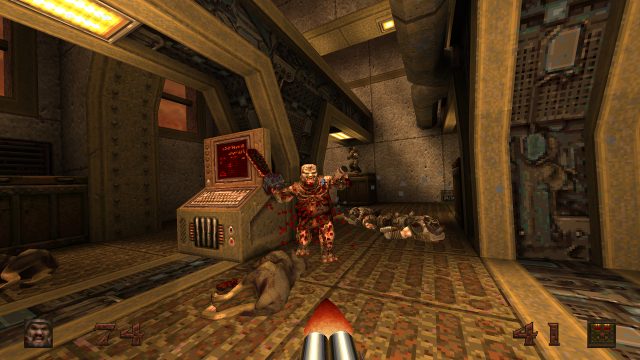
Quake, one of the pioneering first-person shooters developed by id Software, has remained a beloved classic for over three decades. With its groundbreaking graphics and immersive gameplay, Quake set the stage for future FPS games. The recent update not only revitalizes this classic experience but also sets it against the backdrop of modern gaming trends. As gaming continues to evolve, Quake's latest enhancements deliver nostalgia while embracing contemporary gaming styles.
Platform Availability
The latest Quake update is accessible across multiple platforms:
- Steam - Available for download on the Steam platform for PC and Mac users.
- GOG - Get your copy from GOG, ideal for DRM-free gaming enthusiasts.
- Xbox - Playable on Xbox consoles; simply search for Quake in the Xbox Store.
- PlayStation - Available on PlayStation Store for PS4 and PS5 users.
- Nintendo Switch - Find Quake on the Nintendo eShop for portable gaming experiences.
System Requirements
To ensure a smooth gaming experience with the latest Quake update, here are the recommended system requirements:
For PC (Windows)
- OS: Windows 10 or later
- Processor: Intel Core i3 or equivalent
- Memory: 4 GB RAM
- Graphics: NVIDIA GeForce GTX 660 or equivalent
- DirectX: Version 11
- Storage: Minimum 20 GB of free space
For Consoles
Console versions have varying requirements, typically aligned with their respective system capabilities. Ensure your device is updated for optimal performance.
How to Download
Downloading the latest update for Quake is a straightforward process. Follow these steps based on your platform:
For Steam Users
- Launch the Steam client on your PC.
- In the Store section, search for "Quake".
- If you own the game, the update will automatically start downloading. If not, purchase it first.
- Once downloaded, launch Quake from your Library to begin playing the updated version.
For GOG Users
- Open the GOG Galaxy client or visit the GOG website.
- Search for "Quake" in your library or the store.
- If you already own it, click the update option to download the latest version.
For Console Users
- Power on your console (PlayStation, Xbox, or Nintendo Switch).
- Navigate to the respective store and search for "Quake".
- Access your library if you have already purchased the game, then select the update option.
Conclusion
The latest update for Quake brings exciting new content that enhances the original gameplay. Whether you're a long-time fan or a newcomer, this update offers an excellent opportunity to experience the classic in a fresh light. With its availability across multiple platforms and straightforward download process, now is the perfect time to dive back into the world of Quake. Don't miss out on the action!
Latest news
-

From Steam to Mobile
Discover the best games that have made the leap fr...
-
Cross-Platform Play:
Explore how cross-platform play is revolutionizing...
-
Cross-Platform Gamin
Explore how cross-platform gaming is revolutionizi...
-
The Future of Mobile
Explore the latest trends in mobile gaming for 202...