Your Complete Guide to Downloading The Division Resurgence on Steam
Key Takeaways
- The Division Resurgence is free-to-play on Steam.
- It offers cross-platform compatibility for enhanced gameplay.
- Available on mobile devices and PC.
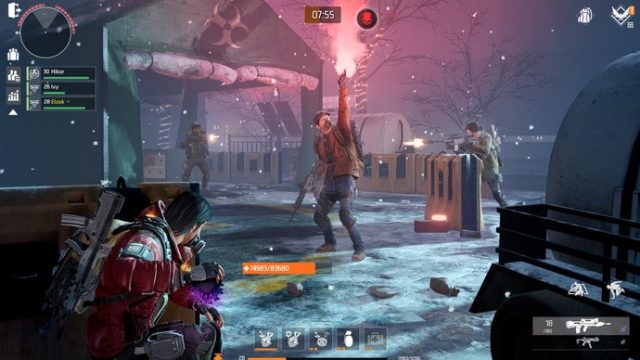
- Players can expect action-packed missions and stunning graphics.
- Ideal for fans of the franchise looking for a mobile experience.
Overview of The Division Resurgence
The Division Resurgence is an exciting addition to the popular tactical shooter franchise by Ubisoft. This mobile offshoot brings a rich narrative and immersive gameplay to players, expanding the universe of The Division. With its transition to Steam, players can now enjoy a unified gaming experience across mobile and PC platforms. This game promises not just action but also strategic gameplay, appealing to both new players and long-time fans.
Platform Availability
The Division Resurgence is designed for multiple platforms to ensure accessibility for all types of gamers. It is available on:
- Steam: The game can be downloaded directly from the Steam Store.
- Mobile Devices: Available on both Android and iOS through the Google Play Store and Apple App Store.
System Requirements
Before you download, ensure your device meets the necessary system requirements to run The Division Resurgence smoothly:
PC System Requirements
- OS: Windows 10 or newer
- Processor: Intel Core i5-2500K or AMD equivalent
- Memory: 8 GB RAM
- Graphics: NVIDIA GeForce GTX 660 or AMD Radeon HD 7850
- DirectX: Version 11
- Storage: At least 30 GB available space
Mobile System Requirements
- iOS: iOS 12.0 or later on iPhone 7 or newer
- Android: Android 8.0 or later, at least 4 GB RAM
How to Download The Division Resurgence
Downloading The Division Resurgence is straightforward. Follow these steps based on your chosen platform:
For PC (Steam)
- Visit the Steam Store.
- Search for “The Division Resurgence” in the store's search bar.
- Click on the game in the search results.
- Press the “Install” button to begin the download.
- Once downloaded, launch the game from your library.
For Mobile Devices
- Open the Google Play Store or Apple App Store.
- Search for “The Division Resurgence.”
- Tap on the game in the search results.
- Click “Install” to download the game.
- Open the app after installation to start playing.
Conclusion
The Division Resurgence merges the thrill of the original franchise with mobile and PC gameplay, catering to a vast audience. With its smooth download process, you can quickly jump into the action. Whether you’re located in Southeast Asia, including key markets like Indonesia (Jakarta, Surabaya, Bali), or elsewhere, The Division Resurgence is poised to capture your gaming interest immediately. Don't miss out on this fantastic opportunity to experience a new chapter in the franchise!
Latest news
-

Your Ultimate Guide
Discover how to download Pokopia: Bubbly Basin for...
-
Your Complete Guide
Learn how to download The Division Resurgence on S...
-

Your Ultimate Guide
Learn how to download Halloween: The Game with our...
-
Your Ultimate Guide
Explore how to download Disney Dreamlight Valley a...